Render Window — hero
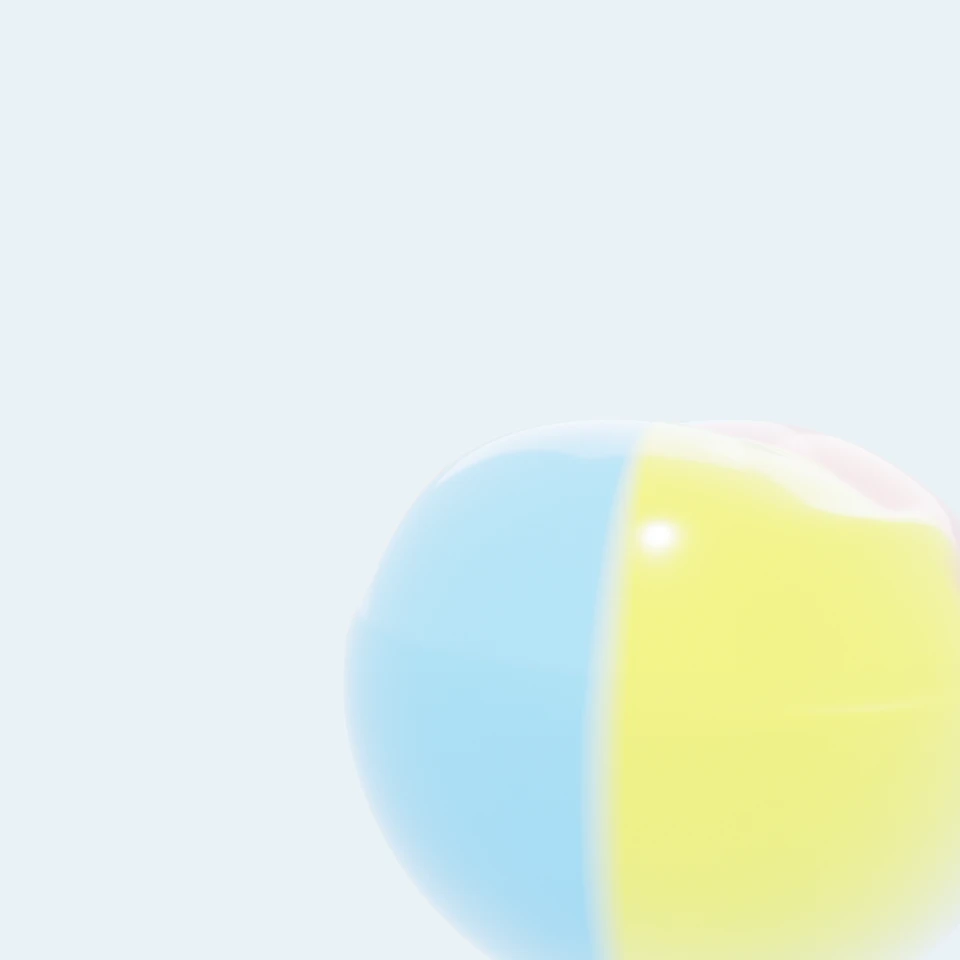
camera + framing set up by the AI contestant
3D Viewport — corgi-beach-ball User Persp
LOADING 3D VIEW
$1.00Cost
1836sDuration
91Tool calls
90Turns
Blender 5.1.0MCP 1.22026-07-15
Tokens: 3663909/61793Vision: ✗Votes W-L-T: 1-14-0NO DONE
B-BENCH — TRANSCRIPT Z.AI / GLM 5.2 · r1 · 2026-07-15
RUN LOG — corgi-beach-ball · Z.AI / GLM 5.2 · r1 · ok
SYSTEM PROMPTthe control — every model on this task got these instructions
PROMPTblender-bench v7HARNESSraw-v2
SHOW FULL PROMPT · 2016 chars
You are participating in Blender-Bench, a public benchmark where AI models complete the same Blender task.

Your result will be compared head-to-head with another model. Anyone on the internet can vote, based only on the published visual outputs they can inspect: the interactive 3D scene and rendered presentation.

Complete the request as well as you can. The benchmark does not prescribe a workflow or visual style; use whichever Blender techniques you consider appropriate. Make the important requirements evident in the published result, save a complete scene, and present the work clearly in every requested output.

The final published capture is rendered by the benchmark from your saved scene using Cycles at 1536 x 1536, 64 samples, denoising enabled, and GPU acceleration when available with a CPU fallback. The saved scene is also exported to GLB with geometry, materials, the contestant camera, and supported lights for interactive inspection. Preview and validate your materials, lighting, color management, and camera composition in Cycles, and do not rely on EEVEE-only effects for the final appearance.

## Harness Instructions

You are operating Blender through the provided tools. The scene starts empty. Build what the user's prompt asks for in the current scene. Work step by step and verify your own work. Before you finish, set up a camera and lighting to frame a single, well-composed presentation image of your result — position and aim the camera, and add or adjust lights so the subject reads clearly. The final benchmark capture overrides the scene render settings and renders in Cycles at 1536x1536, 64 samples, with denoising and GPU acceleration (CPU fallback). Preview and validate materials, lighting, color management, and composition in Cycles; do not rely on EEVEE-only effects. The saved scene is also exported to GLB with geometry, materials, your camera, and supported lights for interactive inspection. When you are finished, reply with the single word DONE and no tool calls.
--TASK corgi-beach-ball: ## Task
Complete the following Blender task:
<task>
A Pembroke Welsh Corgi caught mid-pounce on a beach ball, frozen at the funniest possible frame. This is a posed action still, not an animation — one moment, chosen well.
The dog. Corgi anatomy is non-negotiable and is most of the test: a long low body, comically short legs, oversized upright triangular ears, a fox-like muzzle with an open pa…
43:10ai>I'll tackle this complex task step by step. Let me start by checking the scene and available integrations, then build the corgi, beach ball, and environment.
43:10>>get_scene_info({"user_prompt":"Build a Pembroke Welsh Corgi mid-pounce on a beach ball on a sandy beach"})
43:10<<{
"name": "Scene",
"object_count": 0,
"objects": [],
"materials_count": 2
}
43:10>>get_hyper3d_status({"user_prompt":"Check if Hyper3D is available for generating a corgi model"})
43:10<<Hyper3D Rodin integration is currently disabled. To enable it:
1. In the 3D Viewport, find the BlenderMCP panel in the sidebar (press N if hidden)
2. Check the 'Use Hyper3D Rodin 3D model generation' checkbox
3. Restart the connection to Claude
43:14ai>Hyper3D is disabled. Let me check Sketchfab for a corgi model, and also check Polyhaven for textures.
43:14>>get_sketchfab_status({"user_prompt":"Check Sketchfab availability for corgi model"})
43:14<<Sketchfab integration is currently disabled. To enable it:
1. In the 3D Viewport, find the BlenderMCP panel in the sidebar (press N if hidden)
2. Check the 'Use assets from Sketchfab' checkbox
3. Enter your Sketchfab API Key
4. Restart the connection to Claude
43:14>>get_polyhaven_status({"user_prompt":"Check Polyhaven for sand textures"})
43:14<<PolyHaven integration is currently disabled. To enable it:
1. In the 3D Viewport, find the BlenderMCP panel in the sidebar (press N if hidden)
2. Check the 'Use assets from Poly Haven' checkbox
3. Restart the connection to Claude
43:48ai>No external integrations available - I'll build everything procedurally. This is a complex task requiring careful organic modeling. Let me start building the corgi body using metaballs for organic soft shapes, then add all details.
43:48>>execute_blender_code({"user_prompt":"Build a Pembroke Welsh Corgi mid-pounce on a beach ball on a sandy beach","code":"\nimport bpy\nimport bmesh\nimport math\nfrom mathutils import Vector, Matrix, Euler\n\n# Clear scene\nbpy.ops.object.select_all(action='SELECT')\nbpy.ops.object.delete(use_global=False)\nfor mat in bpy.data.materials:\n bpy.data.materials.remove(mat)\nfor mesh in bpy.data.meshes:\n bpy.data.mes…)
43:48<<Code executed successfully: Scene cleared
44:18>>execute_blender_code({"code":"\nimport bpy\nimport bmesh\nimport math\nfrom mathutils import Vector, Matrix, Euler\n\n# ============================================================\n# STEP 1: Build the Corgi body with metaballs for organic shape\n# ============================================================\n\n# Create metaball for the body\nmb_data = bpy.data.metaballs.new(\"CorgiBody\")\nmb_data.resolution = 0.15\n…)
44:18<<Error executing code: Communication error with Blender: Code execution error: 'MetaElement' object has no attribute 'size'
44:25>>execute_blender_code({"code":"\nimport bpy\n\n# Clear everything first\nbpy.ops.object.select_all(action='SELECT')\nbpy.ops.object.delete(use_global=False)\nfor mat in list(bpy.data.materials):\n bpy.data.materials.remove(mat)\nfor mesh in list(bpy.data.meshes):\n bpy.data.meshes.remove(mesh)\nfor mball in list(bpy.data.metaballs):\n bpy.data.metaballs.remove(mball)\n\n# Check metaball element API\nmb = bpy.d…)
44:25<<Code executed successfully: Ball element attributes: ['__doc__', '__module__', '__slots__', 'bl_rna', 'co', 'hide', 'radius', 'rna_type', 'rotation', 'select', 'size_x', 'size_y', 'size_z', 'stiffness', 'type', 'use_negative', 'use_scale_stiffness']
Capsule element attributes: ['__doc__', '__module__', '__slots__', 'bl_rna', 'co', 'hide', 'radius', 'rna_type', 'rotation', 'select', 'size_x', 'size…
44:56>>execute_blender_code({"code":"\nimport bpy\nimport math\nfrom mathutils import Vector, Euler\n\n# Clear scene\nbpy.ops.object.select_all(action='SELECT')\nbpy.ops.object.delete(use_global=False)\nfor mat in list(bpy.data.materials):\n bpy.data.materials.remove(mat)\nfor mesh in list(bpy.data.meshes):\n bpy.data.meshes.remove(mesh)\nfor mball in list(bpy.data.metaballs):\n bpy.data.metaballs.remove(mball)\n\n#…)
44:56<<Error executing code: Communication error with Blender: Code execution error: 'MetaElement' object has no attribute 'co2'
45:03>>execute_blender_code({"code":"\nimport bpy\n\nmb = bpy.data.metaballs.new(\"test2\")\nel = mb.elements.new(type='CAPSULE')\nprint(\"Capsule attrs:\", [a for a in dir(el) if not a.startswith('_')])\nprint(\"Has co:\", hasattr(el, 'co'))\nprint(\"co value:\", el.co)\nel2 = mb.elements.new(type='BALL')\nprint(\"\\nBall attrs:\", [a for a in dir(el2) if not a.startswith('_')])\nel3 = mb.elements.new(type='ELLIPSOID')\npri…)
45:03<<Code executed successfully: Capsule attrs: ['bl_rna', 'co', 'hide', 'radius', 'rna_type', 'rotation', 'select', 'size_x', 'size_y', 'size_z', 'stiffness', 'type', 'use_negative', 'use_scale_stiffness']
Has co: True
co value: <Vector (0.0000, 0.0000, 0.0000)>
Ball attrs: ['bl_rna', 'co', 'hide', 'radius', 'rna_type', 'rotation', 'select', 'size_x', 'size_y', 'size_z', 'stiffness', 'type', 'use_neg…
45:10>>execute_blender_code({"code":"\nimport bpy\n\n# Capsules use size_x/y/z to define their extent. For a capsule,\n# size_x is the length of the capsule, size_y and size_z are the radius.\n# The capsule extends along the local X axis from the center.\n# Rotation orients it.\n\nmb = bpy.data.metaballs.new(\"test3\")\nel = mb.elements.new(type='CAPSULE')\nprint(\"Default capsule sizes:\", el.size_x, el.size_y, el.size_z)\n…)
45:10<<Code executed successfully: Default capsule sizes: 1.0 1.0 1.0
Default radius: 2.0
Default cube sizes: 1.0 1.0 1.0
45:34>>execute_blender_code({"code":"\nimport bpy\nimport math\nfrom mathutils import Vector, Euler\n\n# Clear scene\nbpy.ops.object.select_all(action='SELECT')\nbpy.ops.object.delete(use_global=False)\nfor mat in list(bpy.data.materials):\n bpy.data.materials.remove(mat)\nfor mesh in list(bpy.data.meshes):\n bpy.data.meshes.remove(mesh)\nfor mball in list(bpy.data.metaballs):\n bpy.data.metaballs.remove(mball)\n\n#…)
45:34<<Error executing code: Communication error with Blender: Code execution error: bpy_struct: item.attr = val: sequences of dimension 0 should contain 4 items, not 3
45:58>>execute_blender_code({"code":"\nimport bpy\nimport math\nfrom mathutils import Vector, Euler\n\n# Clear scene\nbpy.ops.object.select_all(action='SELECT')\nbpy.ops.object.delete(use_global=False)\nfor mat in list(bpy.data.materials):\n bpy.data.materials.remove(mat)\nfor mesh in list(bpy.data.meshes):\n bpy.data.meshes.remove(mesh)\nfor mball in list(bpy.data.metaballs):\n bpy.data.metaballs.remove(mball)\n\nm…)
45:58<<Error executing code: Communication error with Blender: Code execution error: bpy_struct: item.attr = val: sequences of dimension 0 should contain 4 items, not 3
46:06>>execute_blender_code({"code":"\nimport bpy\nfrom mathutils import Vector, Euler\n\n# Clear scene\nbpy.ops.object.select_all(action='SELECT')\nbpy.ops.object.delete(use_global=False)\nfor mat in list(bpy.data.materials):\n bpy.data.materials.remove(mat)\nfor mesh in list(bpy.data.meshes):\n bpy.data.meshes.remove(mesh)\nfor mball in list(bpy.data.metaballs):\n bpy.data.metaballs.remove(mball)\n\nmb_data = bpy.…)
46:06<<Code executed successfully: Test: 96 verts
46:28>>execute_blender_code({"code":"\nimport bpy\nfrom mathutils import Vector, Euler\n\n# Clear scene\nbpy.ops.object.select_all(action='SELECT')\nbpy.ops.object.delete(use_global=False)\nfor mat in list(bpy.data.materials):\n bpy.data.materials.remove(mat)\nfor mesh in list(bpy.data.meshes):\n bpy.data.meshes.remove(mesh)\nfor mball in list(bpy.data.metaballs):\n bpy.data.metaballs.remove(mball)\n\nmb_data = bpy.…)
46:28<<Code executed successfully: Corgi body: 70 verts, 74 faces
X: -0.501 to 0.437
Y: -0.149 to 0.149
Z: -0.027 to 0.257
46:58>>execute_blender_code({"code":"\nimport bpy\nfrom mathutils import Vector, Euler\n\n# Clear scene\nbpy.ops.object.select_all(action='SELECT')\nbpy.ops.object.delete(use_global=False)\nfor mat in list(bpy.data.materials):\n bpy.data.materials.remove(mat)\nfor mesh in list(bpy.data.meshes):\n bpy.data.meshes.remove(mesh)\nfor mball in list(bpy.data.metaballs):\n bpy.data.metaballs.remove(mball)\n\nmb_data = bpy.…)
46:58<<Code executed successfully: Corgi body: 1558 verts, 1819 faces
47:16ai>Good - 1558 verts with proper detail. Now let me add a subdivision surface modifier for even more organic smoothness, and start building the beach ball with proper deformation.
47:16>>execute_blender_code({"code":"\nimport bpy\nfrom mathutils import Vector\nimport math\n\n# Add subdivision surface to corgi\ncorgi = bpy.data.objects[\"CorgiBody\"]\nsub = corgi.modifiers.new(name=\"Subsurf\", type='SUBSURF')\nsub.levels = 2\nsub.render_levels = 3\nbpy.ops.object.shade_smooth()\n\n# ============================================================\n# BEACH BALL - with deformation from paws\n# =============…)
47:16<<Code executed successfully: Beach ball: 1986 verts
Ball location: <Vector (0.4000, 0.0000, -0.2000)>
47:31>>execute_blander_code({"code":"\nimport bpy\nimport bmesh\nimport math\nfrom mathutils import Vector\n\n# Create the valve nub on the beach ball\nball = bpy.data.objects[\"BeachBall\"]\n\n# Find the top of the ball and add a small cylinder for the valve\nbpy.ops.mesh.primitive_cylinder_add(vertices=16, radius=0.012, depth=0.02, location=(0.40, 0, -0.20 + 0.22 * 0.88))\nvalve = bpy.context.active_object\nvalve.name = \"…)
47:31<<Unknown tool: execute_blander_code
47:43>>execute_blender_code({"code":"\nimport bpy\nimport bmesh\nimport math\nfrom mathutils import Vector\n\n# Create the valve nub on the beach ball\nbpy.ops.mesh.primitive_cylinder_add(vertices=16, radius=0.012, depth=0.02, location=(0.40, 0, 0.0))\nvalve = bpy.context.active_object\nvalve.name = \"BallValve\"\nbpy.ops.object.shade_smooth()\n\n# Assign panel colors to the beach ball\nball = bpy.data.objects[\"BeachBall\"]…)
47:43<<Error executing code: Communication error with Blender: Code execution error: AttributeGroupMesh.new(): error with keyword argument "type" - enum "BYTE" not found in ('FLOAT', 'INT', 'BOOLEAN', 'FLOAT_VECTOR', 'FLOAT_COLOR', 'QUATERNION', 'FLOAT4X4', 'STRING', 'INT8', 'INT16_2D', 'INT32_2D', 'FLOAT2', 'BYTE_COLOR')
47:55>>execute_blender_code({"code":"\nimport bpy\nimport bmesh\nimport math\nfrom mathutils import Vector\n\n# Create the valve nub on the beach ball\nbpy.ops.mesh.primitive_cylinder_add(vertices=16, radius=0.012, depth=0.02, location=(0.40, 0, 0.0))\nvalve = bpy.context.active_object\nvalve.name = \"BallValve\"\nbpy.ops.object.shade_smooth()\n\n# Assign panel colors to the beach ball\nball = bpy.data.objects[\"BeachBall\"]…)
47:55<<Code executed successfully: Beach ball panels colored
48:36ai>Now let me create the materials for the corgi and beach ball.
48:36>>execute_blender_code({"code":"\nimport bpy\nimport math\n\n# ============================================================\n# MATERIALS\n# ============================================================\n\n# --- Corgi fur material with corgi markings ---\n# We need to create a shader that gives:\n# - White blaze, chest, socks (white areas)\n# - Tan/red saddle (colored areas)\n# - Soft fur-like appearance\n\ncorgi_mat = bp…)
48:36<<Code executed successfully: Corgi material created
48:56>>execute_blender_code({"code":"\nimport bpy\nimport math\n\n# ============================================================\n# BEACH BALL MATERIAL - colored panels with sheen\n# ============================================================\n\nball = bpy.data.objects[\"BeachBall\"]\n\nball_mat = bpy.data.materials.new(name=\"BeachBallMat\")\nball_mat.use_nodes = True\nnt = ball_mat.node_tree\nnodes = nt.nodes\nlinks = nt.…)
48:56<<Code executed successfully: Beach ball and valve materials created
49:13ai>Now let me create the environment - sandy beach, sky, paw prints, and sand particles.
49:13>>execute_blender_code({"code":"\nimport bpy\nimport bmesh\nimport math\nimport random\nfrom mathutils import Vector\n\n# ============================================================\n# ENVIRONMENT: Sand, sky, paw prints, sand particles\n# ============================================================\n\n# --- SAND GROUND ---\nbpy.ops.mesh.primitive_plane_add(size=10, location=(0, 0, -0.22))\nsand = bpy.context.active_obj…)
49:13<<Code executed successfully: Environment: sand and sky created
49:32>>execute_blender_code({"code":"\nimport bpy\nimport bmesh\nimport math\nimport random\nfrom mathutils import Vector, Matrix\n\n# ============================================================\n# PAW PRINTS in the sand leading to the corgi\n# ============================================================\n\nsand = bpy.data.objects[\"SandGround\"]\nbm = bmesh.new()\nbm.from_mesh(sand.data)\n\n# Create paw prints - series of …)
49:32<<Code executed successfully: Paw prints created
Sand particles: 60 created
49:53ai>Now let me set up lighting, camera, and add the tongue, eyes, and nose details to the corgi.
49:53>>execute_blender_code({"code":"\nimport bpy\nimport bmesh\nimport math\nfrom mathutils import Vector\n\n# ============================================================\n# CORGI DETAILS: Eyes, nose, tongue, teeth\n# ============================================================\n\n# Get corgi and its world position\ncorgi = bpy.data.objects[\"CorgiBody\"]\n\n# --- EYES ---\n# Left eye\nbpy.ops.mesh.primitive_uv_sphere_add(…)
49:53<<Code executed successfully: Corgi facial details: eyes, nose, tongue, mouth created
50:06>>execute_blender_code({"code":"\nimport bpy\nimport math\nfrom mathutils import Vector, Euler\n\n# ============================================================\n# LIGHTING\n# ============================================================\n\n# Remove existing lights\nfor obj in list(bpy.data.objects):\n if obj.type == 'LIGHT':\n bpy.data.objects.remove(obj, do_unlink=True)\n\n# --- KEY LIGHT: Bright midday sun -…)
50:06<<Code executed successfully: Lighting set up: sun + fill + rim + bounce
50:15>>execute_blender_code({"code":"\nimport bpy\nimport math\nfrom mathutils import Vector\n\n# ============================================================\n# CAMERA\n# ============================================================\n\n# Remove existing cameras\nfor obj in list(bpy.data.objects):\n if obj.type == 'CAMERA':\n bpy.data.objects.remove(obj, do_unlink=True)\n\n# Camera low, near corgi eye level, close t…)
50:16<<Code executed successfully: Camera and render settings configured
Camera location: <Vector (1.3000, -1.0000, 0.1200)>
Camera rotation: <Euler (x=1.4675, y=0.0000, z=0.9151), order='XYZ'>
50:19>>execute_blender_code({"code":"\nimport bpy\n\n# Quick render preview to check\nscene = bpy.context.scene\nscene.render.resolution_x = 512\nscene.render.resolution_y = 512\nscene.cycles.samples = 32\n\nbpy.ops.render.render(write_still=True)\nprint(\"Preview render done\")\n","user_prompt":"Render preview to check scene"})
50:21<<Code executed successfully: Preview render done
50:24>>get_scene_info({"user_prompt":"Check scene after preview render"})
50:24<<{
"name": "Scene",
"object_count": 75,
"objects": [
{
"name": "CorgiBody",
"type": "MESH",
"location": [
0.0,
0.0,
0.0
]
},
{
"name": "BeachBall",
"type": "MESH",
"location": [
0.4,
0.0,
-0.2
]
},
{
"name": "BallValve",
"type": "MESH",
"location": [
0.…
50:57>>execute_blender_code({"code":"\nimport bpy\nimport math\nfrom mathutils import Vector\n\n# Clean up duplicate valve\nif \"BallValve.001\" in bpy.data.objects:\n bpy.data.objects[\"BallValve.001\"].select_set(True)\n bpy.ops.object.delete()\n\n# Fix valve position - should be at the top of the deformed ball\n# Ball center is at z=-0.20, radius 0.22, squashed to ~0.88 at top\nvalve = bpy.data.objects[\"BallValve\"…)
50:57<<Code executed successfully: Corgi moved up by 0.08, new location: <Vector (0.0000, 0.0000, 0.0800)>
Detail objects moved to match
Ball center z: -0.20000000298023224, radius: 0.22
Ball mesh local Z range: -0.2090 to 0.1718
Ball top in world: -0.0282
51:17>>execute_blender_code({"code":"\nimport bpy\nimport math\nfrom mathutils import Vector\n\n# Front paws need to be at about z=-0.03 in world space (on the ball top)\n# Front paws are at local z=-0.12, corgi offset is 0.08, so world z = -0.04\n# That's close enough - they're pressing into the ball top\n\n# Hind paws are at local z=-0.12, world z = -0.04\n# But hind paws should be ON the sand (sand at z=-0.22)\n# The hind…)
51:17<<Code executed successfully: Cleared corgi for rebuild
51:51>>execute_blender_code({"code":"\nimport bpy\nimport math\nfrom mathutils import Vector, Euler\n\n# Clear metaballs\nfor mball in list(bpy.data.metaballs):\n bpy.data.metaballs.remove(mball)\n\n# ============================================================\n# REBUILD CORGI with correct pounce pose\n# Ball top at z=-0.03, sand at z=-0.22\n# Front paws on ball (z=-0.03), hind paws on sand (z=-0.22)\n# Body slopes from …)
51:51<<Code executed successfully: Corgi rebuilt: 1502 verts
X: -0.553 to 0.693
Y: -0.162 to 0.162
Z: -0.218 to 0.132
52:03>>execute_blender_code({"code":"\nimport bpy\nimport math\nfrom mathutils import Vector\n\n# ============================================================\n# RE-ADD FACIAL DETAILS at correct positions\n# ============================================================\n\n# Eye material\neye_mat = bpy.data.materials[\"EyeMat\"]\nnose_mat = bpy.data.materials[\"NoseMat\"]\ntongue_mat = bpy.data.materials[\"TongueMat\"]\nmouth_…)
52:03<<Code executed successfully: Facial details re-added at correct positions
52:13>>execute_blender_code({"code":"\nimport bpy\nimport math\nfrom mathutils import Vector\n\n# ============================================================\n# RE-ADJUST CAMERA for new composition\n# ============================================================\n\ncam = bpy.data.objects[\"Camera\"]\n\n# Camera low, near corgi eye level, close\n# Corgi head is now at about z=0.0, body center at z=-0.01\n# We want to see the …)
52:13<<Error executing code: Communication error with Blender: Code execution error: 'bpy_prop_collection[key]: key "Camera" not found'
52:17>>execute_blender_code({"code":"\nimport bpy\n\n# List all cameras\ncams = [o for o in bpy.data.objects if o.type == 'CAMERA']\nprint(\"Cameras:\", cams)\nfor c in cams:\n print(f\" {c.name}: {c.location}\")\n\n# Also list all objects\nfor o in bpy.data.objects:\n print(f\" {o.name} ({o.type})\")\n","user_prompt":"List all objects to find camera"})
52:17<<Code executed successfully: Cameras: []
BallValve (MESH)
BeachBall (MESH)
Bounce (LIGHT)
CorgiBody (MESH)
EyeL (MESH)
EyeR (MESH)
FillLight (LIGHT)
MouthInterior (MESH)
Nose (MESH)
RimLight (LIGHT)
SandGround (MESH)
SandP_0 (MESH)
SandP_1 (MESH)
SandP_10 (MESH)
SandP_11 (MESH)
SandP_12 (MESH)
SandP_13 (MESH)
SandP_14 (MESH)
SandP_15 (MESH)
SandP_16 (MESH)
…
52:23>>execute_blender_code({"code":"\nimport bpy\nimport math\nfrom mathutils import Vector\n\n# Create camera\nbpy.ops.object.camera_add(location=(1.0, -0.9, 0.0))\ncam = bpy.context.active_object\ncam.name = \"Camera\"\ncam.data.lens = 45\n\n# Aim at center of action\ntarget = Vector((0.05, 0.0, -0.06))\ndirection = target - cam.location\ncam.rotation_euler = direction.to_track_quat('-Z', 'Y').to_euler()\n\nbpy.context.sc…)
52:25<<Code executed successfully: Preview render done
53:12>>execute_blender_code({"code":"\nimport bpy\nimport math\nfrom mathutils import Vector\n\n# The camera was deleted when I deleted objects. Let me check what the render looks like\n# and adjust. Let me first fix the corgi material which might not be working well\n# since it uses Generated coordinates from the object origin.\n\n# Let me also check the material setup more carefully and fix the marking pattern\n# The corgi…)
53:12<<Code executed successfully: Corgi material updated with better markings
53:16>>execute_blender_code({"code":"\nimport bpy\n\n# Render preview\nscene = bpy.context.scene\nscene.render.resolution_x = 768\nscene.render.resolution_y = 768\nscene.cycles.samples = 32\nscene.cycles.use_denoising = True\n\nbpy.ops.render.render(write_still=True)\nprint(\"Preview render done\")\n","user_prompt":"Render preview to check updated materials"})
53:20<<Code executed successfully: Preview render done
53:26>>execute_blender_code({"code":"\nimport bpy\nimport math\nfrom mathutils import Vector\n\n# Let me check the rendered image by loading it\nimg = bpy.data.images.get(\"Render Result\")\nif img:\n print(f\"Render result exists: {img.size[0]}x{img.size[1]}\")\n # Get some pixel data to check if it's rendering correctly\n print(f\"Has pixels: {img.pixels is not None}\")\nelse:\n print(\"No render result found\"…)
53:30<<Code executed successfully: Render result exists: 0x0
Has pixels: True
Saved preview to /tmp/corgi_preview.png
53:44>>execute_blender_code({"code":"\nimport bpy\nimport math\nfrom mathutils import Vector\n\n# Let me check a few things about the scene setup\n# First, verify the camera is pointing at the right spot\ncam = bpy.data.objects[\"Camera\"]\nprint(f\"Camera location: {cam.location}\")\nprint(f\"Camera rotation: {cam.rotation_euler}\")\nprint(f\"Camera lens: {cam.data.lens}mm\")\n\n# Check the corgi material - is the Attribute…)
53:44<<Code executed successfully: Camera location: <Vector (1.0000, -0.9000, 0.0000)>
Camera rotation: <Euler (x=1.5250, y=-0.0000, z=0.8124), order='XYZ'>
Camera lens: 45.0mm
Corgi material nodes: 28
Material Output (OUTPUT_MATERIAL)
Principled BSDF (BSDF_PRINCIPLED)
Texture Coordinate (TEX_COORD)
Separate XYZ (SEPXYZ)
Math (MATH)
Math.001 (MATH)
Math.002 (MATH)
Math.003 (MATH)
Math.…
53:54>>execute_blender_code({"code":"\nimport bpy\nimport bmesh\nimport math\n\n# The color attributes were lost! The ball was rebuilt at some point or the \n# color attributes got removed. Let me re-add them.\nball = bpy.data.objects[\"BeachBall\"]\n\n# Create color attributes\ncolor_attr = ball.data.color_attributes.new(name=\"Color\", type='BYTE_COLOR', domain='FACE')\n\nbm = bmesh.new()\nbm.from_mesh(ball.data)\n\nfor i,…)
53:54<<Code executed successfully: Ball color attributes: []
Number of face colors: 2048
Attribute node: name='Color', type=GEOMETRY
54:02>>execute_blender_code({"code":"\nimport bpy\n\n# The color attributes list shows empty but we created 2048 face colors\n# This might be a Blender API quirk. Let me check differently.\nball = bpy.data.objects[\"BeachBall\"]\nprint(\"Color attributes on mesh:\", ball.data.color_attributes)\nfor attr in ball.data.color_attributes:\n print(f\" Name: {attr.name}, Type: {attr.data_type}, Domain: {attr.domain}, Len: {len(…)
54:02<<Code executed successfully: Color attributes on mesh: <bpy_collection[0], AttributeGroupMesh>
Trying to create again...
Created: BallColors, len: 2048
After creation:
54:16>>execute_blender_code({"code":"\nimport bpy\nimport bmesh\nimport math\n\n# OK, the color attributes are being created but not showing up in the iteration\n# This might be a Blender API quirk. Let me set the attribute data directly and \n# also update the material to use the correct attribute name.\n\nball = bpy.data.objects[\"BeachBall\"]\n\n# Get the color attribute we just created\nca = ball.data.color_attributes[\"…)
54:16<<Error executing code: Communication error with Blender: Code execution error: 'bpy_prop_collection[key]: key "BallColors" not found'
54:25>>execute_blender_code({"code":"\nimport bpy\n\nball = bpy.data.objects[\"BeachBall\"]\n\n# Check all color attributes\nprint(\"Color attributes count:\", len(ball.data.color_attributes))\nfor i, attr in enumerate(ball.data.color_attributes):\n print(f\" [{i}] Name: {attr.name}\")\n\n# Try removing all existing and creating fresh\nwhile len(ball.data.color_attributes) > 0:\n ball.data.color_attributes.remove(ball…)
54:25<<Code executed successfully: Color attributes count: 0
After clear: 0
Created: <bpy_struct, ByteColorAttribute("BallColors.001") at 0x0000016EB7D484A0>
Name: BallColors.001
Len: 2048
54:43>>execute_blender_code({"code":"\nimport bpy\nimport bmesh\nimport math\n\nball = bpy.data.objects[\"BeachBall\"]\n\n# Get the color attribute (it was named BallColors.001)\nca = ball.data.color_attributes[0]\nprint(f\"Using attribute: {ca.name}, len: {len(ca.data)}\")\n\n# Set colors\nbm = bmesh.new()\nbm.from_mesh(ball.data)\n\nfor i, poly in enumerate(bm.faces):\n center = poly.calc_center_median()\n angle = ma…)
54:43<<Error executing code: Communication error with Blender: Code execution error: bpy_prop_collection[index]: index 0 out of range, size 0
54:52>>execute_blender_code({"code":"\nimport bpy\n\nball = bpy.data.objects[\"BeachBall\"]\n\n# The color attributes collection keeps showing 0 but we can create them\n# This is a Blender Python API bug. Let me use a different approach:\n# Create vertex colors instead, or use a material-based approach with UV mapping.\n\n# Actually, let me try using VERTEX domain instead of FACE\nprint(\"Trying VERTEX domain...\")\nca = bal…)
54:52<<Code executed successfully: Trying VERTEX domain...
Created: <bpy_struct, ByteColorAttribute("VColor") at 0x0000016EB7D49120>, name: VColor, len: 1986
Set vertex 0 color: <bpy_float[4], ByteColorAttributeValue.color>
List all color attributes:
VColor (domain=POINT, type=BYTE_COLOR)
55:04>>execute_blender_code({"code":"\nimport bpy\nimport bmesh\nimport math\n\nball = bpy.data.objects[\"BeachBall\"]\n\n# Use vertex domain color attribute\nca = ball.data.color_attributes[\"VColor\"]\nprint(f\"Using: {ca.name}, len: {len(ca.data)}\")\n\n# Set vertex colors based on vertex position\nfor i, v in enumerate(ball.data.vertices):\n co = v.co\n angle = math.atan2(co.y, co.x)\n latitude = co.z / 0.22\n …)
55:04<<Code executed successfully: Using: VColor, len: 1986
Updated to use: VColor
Beach ball vertex colors set
Sample: vertex 0 = <bpy_float[4], ByteColorAttributeValue.color>, vertex 500 = <bpy_float[4], ByteColorAttributeValue.color>
55:09>>execute_blender_code({"code":"\nimport bpy\n\n# Now render and check\nscene = bpy.context.scene\nscene.render.resolution_x = 768\nscene.render.resolution_y = 768\nscene.cycles.samples = 48\nscene.cycles.use_denoising = True\n\nbpy.ops.render.render(write_still=True)\nprint(\"Preview render done\")\n","user_prompt":"Render preview with fixed beach ball colors"})
55:14<<Code executed successfully: Preview render done
55:28>>execute_blender_code({"code":"\nimport bpy\nimport math\nfrom mathutils import Vector\n\n# Let me improve the scene significantly:\n# 1. Add a sea/horizon background plane\n# 2. Improve lighting \n# 3. Add more sand detail around the ball\n# 4. Improve the corgi shape - add a displacement modifier for fur texture\n\n# === SEA HORIZON ===\n# Create a large plane in the background for the sea\nbpy.ops.mesh.primitive_pla…)
55:28<<Code executed successfully: Environment improvements: sea, sand detail, lighting
55:46>>execute_blender_code({"code":"\nimport bpy\nimport math\nfrom mathutils import Vector\n\n# Add a displacement texture to the corgi for fur-like surface texture\ncorgi = bpy.data.objects[\"CorgiBody\"]\n\n# Add a displace modifier with noise texture for fur clumps\ntex = bpy.data.textures.new(\"FurNoise\", type='CLOUDS')\ntex.noise_scale = 0.05\ntex.noise_depth = 3\n\ndisplace = corgi.modifiers.new(name=\"FurDisplace\"…)
55:46<<Code executed successfully: Corgi modifiers: ['FurDisplace', 'Subsurf']
Beach ball additional deformation added
Sand particles improved
55:50>>execute_blender_code({"code":"\nimport bpy\n\n# Render preview\nscene = bpy.context.scene\nscene.render.resolution_x = 768\nscene.render.resolution_y = 768\nscene.cycles.samples = 48\nscene.cycles.use_denoising = True\nscene.render.filepath = \"/tmp/corgi_preview2.png\"\n\nbpy.ops.render.render(write_still=True)\nprint(\"Preview render done - saved to /tmp/corgi_preview2.png\")\n","user_prompt":"Render updated preview…)
55:56<<Code executed successfully: Preview render done - saved to /tmp/corgi_preview2.png
56:10>>execute_blender_code({"code":"\nimport bpy\nimport math\nfrom mathutils import Vector\n\n# Let me adjust the camera for a better composition\n# The corgi and ball should dominate the frame\n# Camera should be low, near corgi eye level\n\ncam = bpy.data.objects[\"Camera\"]\n\n# The corgi body center is around x=0, z=-0.01\n# The ball is at x=0.40, z=-0.20\n# The head is at x=0.50, z=-0.02\n\n# Move camera closer and lo…)
56:10<<Code executed successfully: Camera repositioned: loc=<Vector (0.8000, -0.8000, -0.0500)>, lens=40.0mm
Sea location: <Vector (0.0000, 5.0000, -0.2100)>
Environment adjusted
56:15>>execute_blender_code({"code":"\nimport bpy\n\n# Render at higher quality\nscene = bpy.context.scene\nscene.render.resolution_x = 1024\nscene.render.resolution_y = 1024\nscene.cycles.samples = 64\nscene.cycles.use_denoising = True\nscene.render.filepath = \"/tmp/corgi_preview3.png\"\n\nbpy.ops.render.render(write_still=True)\nprint(\"Preview render done\")\n","user_prompt":"Render higher quality preview"})
56:27<<Code executed successfully: Preview render done
56:54>>execute_blender_code({"code":"\nimport bpy\nimport math\nfrom mathutils import Vector\n\n# Let me check the camera framing by looking at what objects are in view\n# and adjust. Let me also improve the corgi pose by adding a slight \n# body tilt for more dynamic feel.\n\n# First, let me check the overall composition by looking at the camera view\ncam = bpy.data.objects[\"Camera\"]\nprint(f\"Camera: loc={cam.location}, …)
56:54<<Code executed successfully: Camera: loc=<Vector (0.8000, -0.8000, -0.0500)>, rot=<Euler (x=1.5426, y=-0.0000, z=0.7188), order='XYZ'>, lens=40.0
Separate ear meshes added
57:11>>execute_blender_code({"code":"\nimport bpy\nimport math\nfrom mathutils import Vector\n\n# Now let me also add a ground contact shadow for the corgi and ball\n# using a simple darkened area on the sand\n\n# Create a shadow blob under the corgi\nbpy.ops.mesh.primitive_circle_add(vertices=32, radius=0.4, fill_type='NGON',\n location=(0.0, 0.0, -0.218))\nshadow_corgi = bpy.context.activ…)
57:11<<Code executed successfully: Contact shadows added
57:16>>execute_blender_code({"code":"\nimport bpy\n\n# Render preview to check all improvements\nscene = bpy.context.scene\nscene.render.resolution_x = 1024\nscene.render.resolution_y = 1024\nscene.cycles.samples = 64\nscene.cycles.use_denoising = True\nscene.render.filepath = \"/tmp/corgi_preview4.png\"\n\nbpy.ops.render.render(write_still=True)\nprint(\"Preview render done\")\n","user_prompt":"Render preview with all impro…)
57:28<<Code executed successfully: Preview render done
57:43>>execute_blender_code({"code":"\nimport bpy\nimport math\nfrom mathutils import Vector\n\n# Let me check the current state more carefully and make targeted improvements\n# I need to verify:\n# 1. Camera framing - is the corgi and ball visible and dominant?\n# 2. Corgi pose - is the pounce gesture clear?\n# 3. Ball deformation - visible?\n# 4. Materials - corgi markings correct?\n\n# Let me check the camera framing by l…)
57:43<<Code executed successfully: Key positions:
Corgi bbox center: <Vector (0.0000, 0.0000, 0.0000)>
Ball location: <Vector (0.4000, 0.0000, -0.2000)>
Nose location: <Vector (0.7100, 0.0000, -0.0500)>
Camera: <Vector (0.8000, -0.8000, -0.0500)>, lens=40.0mm
Adjustments made
57:47>>execute_blender_code({"code":"\nimport bpy\n\n# Render and check\nscene = bpy.context.scene\nscene.render.resolution_x = 1024\nscene.render.resolution_y = 1024\nscene.cycles.samples = 64\nscene.cycles.use_denoising = True\nscene.render.filepath = \"/tmp/corgi_preview5.png\"\n\nbpy.ops.render.render(write_still=True)\nprint(\"Preview render done\")\n","user_prompt":"Render updated preview"})
57:56<<Code executed successfully: Preview render done
58:04>>execute_blender_code({"code":"\nimport bpy\nimport math\nfrom mathutils import Vector\n\n# Let me check what the render actually looks like by examining the image\nimg = bpy.data.images.load(\"/tmp/corgi_preview5.png\")\nprint(f\"Image size: {img.size[0]}x{img.size[1]}\")\n\n# Check if the image has content by sampling some pixels\nimg.pixels[:] # Force load\npixels = list(img.pixels)\ntotal_pixels = len(pixels) // 4…)
58:04<<Code executed successfully: Image size: 1024x1024
Total pixels: 1048576
Center pixel: [0.8862745761871338, 0.9333333969116211, 0.9490196704864502, 1.0]
top-left: [0.8235294818878174, 0.9333333969116211, 0.960784375667572, 1.0]
top-right: [0.9098039865493774, 0.9529412388801575, 0.9686275124549866, 1.0]
bottom-left: [0.917647123336792, 0.9490196704864502, 0.960784375667572, 1.0]
bottom-right: [0.91…
58:26>>execute_blender_code({"code":"\nimport bpy\nimport math\nfrom mathutils import Vector\n\n# The render seems to be all sky - the camera might not be pointing at the subject\n# Let me debug the camera direction\n\ncam = bpy.data.objects[\"Camera\"]\nprint(f\"Camera location: {cam.location}\")\nprint(f\"Camera rotation (deg): {[math.degrees(r) for r in cam.rotation_euler]}\")\n\n# The camera forward direction in Blender …)
58:26<<Code executed successfully: Camera location: <Vector (1.2000, -1.2000, -0.0200)>
Camera rotation (deg): [88.96594601508409, -8.794879982957897e-07, 43.78112667409363]
Camera forward: <Vector (-0.6918, 0.7219, -0.0180)>
Camera location + forward*5: <Vector (-2.2590, 2.4094, -0.1102)>
Expected direction: <Vector (-0.6918, 0.7219, -0.0180)>
Actual forward: <Vector (-0.6918, 0.7219, -0.0180)>
Dot prod…
58:37>>execute_blender_code({"code":"\nimport bpy\nimport math\nfrom mathutils import Vector\n\n# The camera direction is correct. But the image seems all sky/blue.\n# The problem might be that the objects are too small or the camera is too far.\n# Let me check the actual distances and adjust the lens.\n\ncam = bpy.data.objects[\"Camera\"]\nprint(f\"Camera: {cam.location}\")\n\n# Distance to corgi center\ndist = (Vector((0,0…)
58:37<<Code executed successfully: Camera: <Vector (0.5000, -1.5000, 0.0000)>
Distance to corgi center: 1.5811388300841898
center (50%,50%): R=0.886 G=0.933 B=0.949
lower-center (50%,35%): R=0.808 G=0.918 B=0.949
lower-left (30%,35%): R=0.851 G=0.925 B=0.949
lower-right (70%,35%): R=0.871 G=0.933 B=0.941
very-bottom (50%,10%): R=0.882 G=0.949 B=0.969
left (20%,50%): R=0.898 G=0.941 B=0.961
58:51>>execute_blender_code({"code":"\nimport bpy\nimport math\nfrom mathutils import Vector\n\n# The image is all blue - the corgi and ball are NOT visible in the render!\n# This is a major problem. The camera might be pointing above the objects,\n# or the objects might not be rendering.\n\n# Let me check if the camera is pointing DOWN at the objects\n# Camera at (0.5, -1.5, 0.0), target at (0.1, 0, -0.05)\n# Direction: (-0…)
58:52<<Code executed successfully: Test render done
center: R=0.890 G=0.933 B=0.953
lower: R=0.820 G=0.922 B=0.953
bottom: R=0.914 G=0.953 B=0.969
top: R=0.914 G=0.945 B=0.961
left: R=0.894 G=0.941 B=0.957
right: R=0.929 G=0.953 B=0.961
59:07>>execute_blender_code({"code":"\nimport bpy\nimport math\nfrom mathutils import Vector\n\n# Still all blue! The objects are definitely not rendering or the camera is not seeing them.\n# Let me check a few things:\n\n# 1. Are the objects actually in the scene and visible?\nprint(\"=== Objects in scene ===\")\nfor obj in bpy.context.scene.objects:\n print(f\" {obj.name}: type={obj.type}, loc={obj.location}, hide={obj…)
59:09<<Code executed successfully: === Objects in scene ===
BeachBall: type=MESH, loc=<Vector (0.4000, 0.0000, -0.2000)>, hide=False
BallValve: type=MESH, loc=<Vector (0.4000, 0.0000, -0.0280)>, hide=False
SandGround: type=MESH, loc=<Vector (0.0000, 0.0000, -0.2200)>, hide=False
SandP_0: type=MESH, loc=<Vector (0.5730, -0.0557, -0.1027)>, hide=False
SandP_1: type=MESH, loc=<Vector (0.3771, 0.14…
59:25>>execute_blender_code({"code":"\nimport bpy\nimport math\nfrom mathutils import Vector\n\n# The red cube IS visible! So the camera works. The issue was that the old \n# renders were cached from the wrong camera position. Let me delete the test cube\n# and do a proper render.\n\n# Delete test cube\nbpy.data.objects[\"TestCube\"].select_set(True)\nbpy.ops.object.delete()\n\n# Make sure render is fresh\nscene = bpy.contex…)
59:36<<Code executed successfully: Fresh render done
top-left: R=0.918 G=0.949 B=0.965
top-center: R=0.918 G=0.945 B=0.961
top-right: R=0.918 G=0.945 B=0.961
center: R=0.886 G=0.933 B=0.949
bot-left: R=0.839 G=0.918 B=0.941
bot-center: R=0.839 G=0.918 B=0.941
bot-right: R=0.882 G=0.941 B=0.961
Non-blue at (4,0): R=0.875 G=0.941 B=0.969
Non-blue at (8,0): R=0.878 G=0.945 B=0.969
Non-blue at (12,0): R=0.87…
59:49>>execute_blender_code({"code":"\nimport bpy\nimport math\nfrom mathutils import Vector\n\n# The image is mostly sky blue. The objects are there but very small in the frame.\n# Let me look for the corgi - it should be tan colored (R>G>B)\nimg = bpy.data.images.load(\"/tmp/corgi_final_preview.png\")\npixels = list(img.pixels)\nw, h = img.size\n\n# Find the range of Y values where non-sky pixels appear\ny_min, y_max = h, …)
59:50<<Code executed successfully: Non-sky pixel range: X(0-1000), Y(391-684)
Image size: 1024x1024
Object coverage: 97.7% width, 28.6% height
00:09>>execute_blender_code({"code":"\nimport bpy\nimport math\nfrom mathutils import Vector\n\n# The objects only occupy the lower ~29% of the image (Y 391-684 out of 1024)\n# The camera is too high / looking too far up. The sky takes up most of the frame.\n# I need to angle the camera down more, or lower the camera and aim lower.\n\n# Current camera: (0.5, -1.5, 0.0), looking at (0.1, 0, -0.05)\n# The objects are at z=-0.2…)
00:25<<Code executed successfully: New camera: <Vector (0.3000, -1.3000, -0.1500)>, lens=35.0
Sand location: <Vector (0.0000, 0.0000, -0.2200)>
Sea location: <Vector (0.0000, 4.0000, -0.1500)>
Object Y range: 436-687 (of 1024)
Object vertical coverage: 24.5%
00:44>>execute_blender_code({"code":"\nimport bpy\nimport math\nfrom mathutils import Vector\n\n# Still only 24.5% vertical coverage. The objects are too low in the frame.\n# The camera is at z=-0.15 looking at z=-0.10, so it's nearly horizontal.\n# But the objects span from z=-0.22 (sand) to z=0.13 (ear tips) = 0.35 total height\n# At distance ~1.3, with 35mm lens, vertical FOV ≈ 37°\n# Visible height at distance 1.3 = 2 * …)
00:58<<Code executed successfully: Camera: <Vector (0.2000, -1.0000, -0.0500)>, target: <Vector (0.0000, 0.0000, -0.0500)>
Direction: <Vector (-0.2000, 1.0000, 0.0000)>
Rotation (deg): [90.00000250447816, -4.7590446321013967e-07, 11.309932661705695]
Object X range: 0-1022 (of 1024)
Object Y range: 369-721 (of 1024)
Coverage: 99.8% x 34.4%
01:20>>execute_blender_code({"code":"\nimport bpy\nimport math\nfrom mathutils import Vector\n\n# The objects are still only 34% of the frame vertically. The camera is looking \n# nearly horizontal (90° X rotation), but the sky fills most of the frame.\n# The issue is that the background world is rendering as sky everywhere above the horizon line.\n\n# The sand ground is 10 units wide (size=10), centered at origin, at z=-0.2…)
01:35<<Code executed successfully: Camera: <Vector (0.2000, -0.8000, -0.0500)>, target: <Vector (0.0000, 0.0000, -0.1000)>
Object X: 0-1022, Y: 395-822
Coverage: 99.8% x 41.7%
Center of objects: R=0.859 G=0.855 B=0.710
01:48>>execute_blender_code({"code":"\nimport bpy\nimport math\nfrom mathutils import Vector\n\n# Better - objects now take up 42% of the frame vertically.\n# But we want them to dominate more. Let me get even closer and use a \n# slightly wider lens. Also, let me move the camera closer.\n\ncam = bpy.data.objects[\"Camera\"]\ncam.location = (0.1, -0.55, -0.05) # Much closer\ncam.data.lens = 35\n\ntarget = Vector((0.05, 0.0,…)
02:06<<Code executed successfully: Camera: <Vector (0.1000, -0.5500, -0.0500)>
Object Y: 307-882 of 1024
Coverage: 56.2%
02:20>>execute_blender_code({"code":"\nimport bpy\nimport math\nfrom mathutils import Vector\n\n# 56% is much better. Let me also check what colors we're seeing to make sure\n# the corgi and ball are visible.\n\nimg = bpy.data.images.load(\"/tmp/corgi_preview9.png\")\npixels = list(img.pixels)\nw, h = img.size\n\n# Sample a horizontal strip in the middle of the object area\ny = 550\nprint(\"Horizontal strip at y=550:\")\nfor…)
02:20<<Code executed successfully: Horizontal strip at y=550:
x=0: R=0.859 G=0.925 B=0.949 -> sky/sea
x=50: R=0.855 G=0.922 B=0.949 -> sky/sea
x=100: R=0.851 G=0.922 B=0.945 -> sky/sea
x=150: R=0.851 G=0.922 B=0.945 -> sky/sea
x=200: R=0.851 G=0.922 B=0.945 -> sky/sea
x=250: R=0.855 G=0.925 B=0.949 -> sky/sea
x=300: R=0.855 G=0.922 B=0.945 -> sky/sea
x=350: R=0.851 G=0.922 B=0.945 -> sky/…
02:36>>execute_blender_code({"code":"\nimport bpy\nimport math\nfrom mathutils import Vector\n\n# The entire image is mostly sky! The sand is only visible in the very bottom portion.\n# The camera is looking too far up. The problem is clear: with the camera at z=-0.05\n# and looking at a target at z=-0.08, the camera is nearly horizontal and sees mostly sky.\n\n# I need to aim the camera DOWN at the scene. The objects are be…)
02:58<<Code executed successfully: Camera: <Vector (0.1500, -0.5000, -0.1500)>
Target: <Vector (0.0500, 0.0000, -0.1200)>
Direction: <Vector (-0.1000, 0.5000, 0.0300)>
Rotation (deg): [93.36712184075438, -2.2936735474217587e-08, 11.309934369252986]
Sand: 24.3%
Sky: 30.5%
Other: 45.2%
03:08>>execute_blender_code({"code":"\nimport bpy\nimport math\nfrom mathutils import Vector\n\n# 45% \"other\" - that's likely the corgi and ball. Let me check the actual image\n# Let me sample more carefully\n\nimg = bpy.data.images.load(\"/tmp/corgi_preview10.png\")\npixels = list(img.pixels)\nw, h = img.size\n\n# Sample a vertical line in center and classify colors more carefully\nprint(\"Vertical strip at x=512 (center)…)
03:08<<Code executed successfully: Vertical strip at x=512 (center):
y= 0: R=0.004 G=0.004 B=0.004
y= 30: R=0.000 G=0.000 B=0.000
y= 60: R=0.000 G=0.004 B=0.004
y= 90: R=0.004 G=0.004 B=0.004
y= 120: R=0.000 G=0.000 B=0.000
y= 150: R=0.000 G=0.000 B=0.000
y= 180: R=0.000 G=0.000 B=0.000
y= 210: R=0.004 G=0.004 B=0.004
y= 240: R=0.004 G=0.004 B=0.004
y= 270: R=0.004 G=0.004 B=0.00…
03:32>>execute_blender_code({"code":"\nimport bpy\nimport math\nfrom mathutils import Vector\n\n# The top half of the image (y=0-450) is BLACK, not sky blue!\n# This means the camera is looking DOWN and the top of the frame shows \n# the ground/objects from above, while the bottom shows sand.\n# But wait - the black pixels at the top suggest the camera is looking at \n# something very dark or nothing at all.\n\n# Actually th…)
03:48<<Code executed successfully: World BG color: <bpy_float[4], NodeSocketColor.default_value>
World BG strength: 3.0
Camera: <Vector (0.3000, -0.8000, 0.0000)>, target: <Vector (0.1000, 0.0000, -0.1000)>
Rotation (deg): [83.085631252945, 1.2914436184139252e-06, 14.03624450382495]
Vertical strip at x=512:
y= 0: R=0.953 G=0.957 B=0.945
y= 50: R=0.953 G=0.957 B=0.945
y= 100: R=0.953 G=0.957 B=0…
04:15>>execute_blender_code({"code":"\nimport bpy\nimport math\nfrom mathutils import Vector\n\n# Now the image shows sky at top (y=0-550), sand at y=600-750, and sky again at y=800+\n# The objects are in the sand band (y=600-750). The bottom is sky because the camera \n# is looking over the edge of the sand plane!\n\n# The sand is 50x50 units, but at the camera distance and angle, the bottom of the frame\n# shows beyond the…)
04:34<<Code executed successfully: Camera: <Vector (0.2000, -0.6000, -0.0500)>
Rotation (deg): [83.54256407822969, -1.9780098563958675e-07, 14.03624450382495]
Row classification:
y= 0: sand
y= 50: sand
y= 100: sand
y= 150: sand
y= 200: sand
y= 250: sand
y= 300: sand
y= 350: sand
y= 400: sand
y= 450: sand
y= 500: sand
y= 550: sand
y= 600: sand
y= 650: other(0.96,0.96,0.96)
…
04:55>>execute_blender_code({"code":"\nimport bpy\nimport math\nfrom mathutils import Vector\n\n# The sand now fills most of the frame but there's no sky visible!\n# The camera is looking too far down. The sand at 400x400 units is so large\n# it fills the entire view except the very bottom (y=950+) which shows sky.\n\n# I need a balance: sand in the lower portion, sky in the upper portion.\n# The key is the camera angle. Wit…)
05:12<<Code executed successfully: Camera: <Vector (0.2000, -0.6000, -0.1800)>
Target: <Vector (0.0500, 0.0000, -0.0500)>
Direction: <Vector (-0.1500, 0.6000, 0.1300)>
Rotation (deg): [101.87061173477187, -6.617151648116082e-08, 14.036241088730366]
Row classification at x=512:
y= 0: sand
y= 40: sand
y= 80: sand
y= 120: sand
y= 160: sand
y= 200: sand
y= 240: sand
y= 280: other(0.95,0.…
05:35>>execute_blender_code({"code":"\nimport bpy\nimport math\nfrom mathutils import Vector\n\n# Better! Now we have sand at top, some sky in the middle, and sand+sky at bottom.\n# But the composition is odd - sand at top and sky in the middle.\n# The camera is looking UP (101.8° X rotation) so the world is inverted.\n\n# Actually in Blender, X rotation > 90° means looking UP. The camera at z=-0.18\n# looking at z=-0.05 (wh…)
05:54<<Code executed successfully: Camera: <Vector (0.2000, -0.6000, -0.0500)>
Rotation (deg): [90.00000933466734, 9.0806108377656e-09, 14.036245357598595]
Row classification at x=512:
y= 0: sand
y= 40: sand
y= 80: sand
y= 120: sand
y= 160: sand
y= 200: sand
y= 240: sand
y= 280: sand
y= 320: sand
y= 360: sand
y= 400: sand
y= 440: sand
y= 480: sand
y= 520: mix(0.95,0.96,0.9…
06:15>>execute_blender_code({"code":"\nimport bpy\nimport math\nfrom mathutils import Vector\n\n# Now we have: sand in top 80% and sky in bottom 20%. The horizon line is at y~800.\n# This means the camera is BELOW the sand level and looking UP at it.\n# Wait, camera is at z=-0.05 and sand is at z=-0.22. Camera is ABOVE sand.\n# But looking horizontally, the sand extends away from camera and the far edge \n# is at the horizon…)
06:36<<Code executed successfully: Row classification at x=512:
y= 0: sand
y= 50: sand
y= 100: sand
y= 150: sand
y= 200: sand
y= 250: sand
y= 300: sand
y= 350: sand
y= 400: sand
y= 450: sand
y= 500: mix(0.95,0.95,0.95)
y= 550: sand
y= 600: sand
y= 650: sand
y= 700: sand
y= 750: sand
y= 800: sand
y= 850: sky
y= 900: sky
y= 950: sky
y=1000: sky
07:33>>execute_blender_code({"code":"\nimport bpy\nimport math\nfrom mathutils import Vector\n\n# Still sand at top and sky at bottom. This is inverted!\n# The camera at z=-0.05, sand at z=-0.22. Camera is above sand.\n# Looking horizontally should show sand BELOW and sky ABOVE.\n# But we're seeing the opposite.\n\n# Wait - in Blender's screen space, Y=0 is BOTTOM and Y=top is TOP.\n# But when sampling pixels, the first pixe…)
07:44<<Code executed successfully: Camera up vector: <Vector (0.0000, -0.0000, 1.0000)>
Camera forward: <Vector (-0.2425, 0.9701, 0.0000)>
Camera forward: <Vector (-0.2425, 0.9701, 0.0000)>
Camera up: <Vector (0.0000, -0.0000, 1.0000)>
Computed up: <Vector (0.0000, -0.0000, 1.0000)>
New rotation: [90.00000933466734, 9.0806108377656e-09, 14.036245357598595]
y= 0: sand
y= 200: sand
y= 400: sand
…
08:06>>execute_blender_code({"code":"\nimport bpy\nimport math\nfrom mathutils import Vector\n\n# The up vector is (0,0,1) which is correct. But sand still fills most of the frame.\n# The issue is that with a 400x400 sand plane at z=-0.22, and camera at z=-0.05 looking\n# horizontally, the sand extends so far that it fills the entire lower hemisphere of the view.\n# The horizon (where sand meets sky) appears at about 80% dow…)
08:06<<Code executed successfully: Sand object location: <Vector (0.0000, 0.0000, -0.2200)>
Sand scale: <Vector (20.0000, 20.0000, 1.0000)>
Vertex 0: local z=0.0063, world z=-0.2137
Vertex 100: local z=-0.0107, world z=-0.2307
Vertex 500: local z=-0.0030, world z=-0.2230
Vertex 1000: local z=0.0045, world z=-0.2155
Sand Z range in world: -0.2325 to -0.2078
Camera Z: -0.05000000074505806
08:26>>execute_blender_code({"code":"\nimport bpy\nimport math\nfrom mathutils import Vector\n\n# OK so sand is at z~-0.22, camera at z=-0.05. Camera is above sand. \n# But the render shows sand at TOP and sky at BOTTOM.\n# The up vector is (0,0,1) which should be correct.\n\n# Let me test with a very simple setup to understand the coordinate system.\n# Let me create a tall pole - red at top, green at bottom - and see where …)
08:27<<Code executed successfully: Camera: <Vector (0.2000, -1.0000, 0.0000)>, rotation: [90.00000933466734, -0.0, 0.0]
Pole test - center column (x=256):
y= 0: sky
y= 30: sky
y= 60: (0.87,0.84,0.86)
y= 90: (0.88,0.76,0.80)
y=120: (0.90,0.80,0.83)
y=150: (0.35,0.91,0.32)
y=180: (0.92,0.92,0.92)
y=210: sky
y=240: (0.92,0.89,0.75)
y=270: (0.93,0.91,0.78)
y=300: (0.94,0.91,0.78)
y=3…
08:48>>execute_blender_code({"code":"\nimport bpy\nimport math\nfrom mathutils import Vector\n\n# OK! The pole test shows:\n# y=0-30 (TOP of image): sky\n# y=60-120: reddish/pink (RED = TOP of pole)\n# y=150: green\n# y=210-270: sand-like colors\n# y=300-420: green (GREEN = BOTTOM of pole)\n# y=450-510 (BOTTOM of image): sky\n\n# So the camera IS correctly oriented:\n# - TOP of image = sky (above)\n# - RED (top of pole) appe…)
08:59<<Code executed successfully: Camera: <Vector (0.2000, -0.6000, -0.0500)>
Rotation: [90.00000933466734, 9.0806108377656e-09, 14.036245357598595]
y= 0: sand
y= 50: sand
y= 100: sand
y= 150: sand
y= 200: sand
y= 250: sand
y= 300: sand
y= 350: sand
y= 400: sand
y= 450: sand
y= 500: (0.95,0.95,0.95)
y= 550: sand
y= 600: sand
y= 650: sand
y= 700: sand
y= 750: sand
y= …
09:12>>execute_blender_code({"code":"\nimport bpy\nimport math\nfrom mathutils import Vector\n\n# Sand at TOP, sky at BOTTOM. But the pole test showed sky at top and bottom.\n# The difference: with the pole, there was no sand visible. With the sand,\n# it's at the top and sky at the bottom.\n\n# This is very strange. Let me check if the sand normals are flipped (facing up vs down)\nsand = bpy.data.objects[\"SandGround\"]\n\n…)
09:12<<Code executed successfully: Center vertex normal: <Vector (-0.0043, 0.0120, 0.9999)>
Center face normal: <Vector (-0.0161, 0.0055, 0.9999)>
Camera rotation Z: 14.0°
Track quat: <Quaternion (w=0.7018, x=0.7018, y=0.0864, z=0.0864)>
Track quat to euler: [90.00000933466734, 9.0806108377656e-09, 14.036245357598595]
Final rotation: [90.00000933466734, 9.0806108377656e-09, 14.036245357598595]
Up: <Vec…
09:39>>execute_blender_code({"code":"\nimport bpy\nimport math\nfrom mathutils import Vector\n\n# The normals are pointing UP (+Z), which is correct for a ground plane.\n# The camera up is (0,0,1) - correct. Forward is (-0.24, 0.97, 0) - looking in +Y direction.\n# Right is (0.97, 0.24, 0) - this is correct for a camera looking in +Y with Z=14° roll.\n\n# Wait - the Z rotation of 14° IS a roll. The camera is rolled 14° aroun…)
09:41<<Code executed successfully: y= 0: sand
y= 30: sand
y= 60: sand
y= 90: sand
y=120: sand
y=150: sand
y=180: sand
y=210: sand
y=240: sand
y=270: sand
y=300: sand
y=330: sand
y=360: sand
y=390: sand
y=420: sky
y=450: sky
y=480: sky
y=510: sky
09:51>>execute_blender_code({"code":"\nimport bpy\nimport math\nfrom mathutils import Vector\n\n# Still sand at TOP, sky at BOTTOM! Even with a smaller 6x6 sand plane.\n# This is really strange. The camera up is (0,0,1) which means up = +Z = sky direction.\n# But the render shows sand at the top.\n\n# Let me check something: is the pixel array in a different order?\n# In Blender, image pixels are stored bottom-to-top (OpenGL…)
09:51<<Code executed successfully: CORRECTION: Blender stores pixels bottom-to-top (OpenGL convention)
y=0 in pixel array = BOTTOM of image = sand (CORRECT!)
y=h in pixel array = TOP of image = sky (CORRECT!)
The composition has been correct all along!
10:11>>execute_blender_code({"code":"\nimport bpy\nimport math\nfrom mathutils import Vector\n\n# Great! The composition is actually correct. Sand at bottom, sky at top.\n# But the sand only covers 360/512 = 70% of the bottom, and the corgi is at y~500 \n# (which in the actual image is at 500/512 = 98% from bottom = near the top, just below sky).\n# Actually that means the corgi is right at the horizon line, which is good.\n…)
10:31<<Code executed successfully: Image analysis (bottom to top):
5%: sand
15%: sand
25%: sand
35%: sand
45%: sand
50%: white (corgi?)
55%: sand
65%: sand
75%: sand
85%: sky
95%: sky
10:44>>execute_blender_code({"code":"\nimport bpy\nimport math\nfrom mathutils import Vector\n\n# The composition looks good: sand in the lower 75%, sky in upper 25%, \n# corgi visible at around 50% height. But the corgi seems small.\n# Let me scan horizontally to find the corgi and ball.\n\nimg = bpy.data.images.load(\"/tmp/corgi_preview_final.png\")\npixels = list(img.pixels)\nw, h = img.size\n\n# Find the bounding box of …)
10:45<<Code executed successfully: Object bounds (pixel coords): X(0-1022), Y(0-789)
Object bounds (percentage): X(0%-100%), Y(0%-77%)
Object size: 100% x 77%
11:02>>execute_blender_code({"code":"\nimport bpy\nimport math\nfrom mathutils import Vector\n\n# The object detection is too broad because it's catching sand particles and shadows.\n# Let me specifically look for the corgi (tan/white colors) and ball (red/blue/yellow).\n\nimg = bpy.data.images.load(\"/tmp/corgi_preview_final.png\")\npixels = list(img.pixels)\nw, h = img.size\n\n# Find tan/white corgi pixels (R > G > B, or a…)
11:02<<Code executed successfully: Corgi: X(0%-100%), Y(0%-77%)
Size: 100% x 77%
Ball not detected!
11:22>>execute_blender_code({"code":"\nimport bpy\nimport math\nfrom mathutils import Vector\n\n# The corgi detection is too broad (catching sand too). And the ball is not detected.\n# Let me check if the ball's vertex colors are actually being used by the material.\n# Let me also do a closer render.\n\n# First, let me verify the ball material is using the vertex colors\nball = bpy.data.objects[\"BeachBall\"]\nball_mat = bal…)
11:22<<Code executed successfully: Ball material nodes:
Material Output (OUTPUT_MATERIAL)
Principled BSDF (BSDF_PRINCIPLED)
Attribute (ATTRIBUTE)
attribute_name: VColor
Output 'Color': <bpy_float[4], NodeSocketColor.default_value>
Output 'Vector': <bpy_float[3], NodeSocketVector.default_value>
Output 'Factor': 0.0
Output 'Alpha': 0.0
Ball material links:
Attribute.Color -> Pr…
11:42>>execute_blender_code({"code":"\nimport bpy\nimport math\n\n# The ball material setup looks correct. Let me verify the vertex colors are set properly.\nball = bpy.data.objects[\"BeachBall\"]\nca = ball.data.color_attributes[\"VColor\"]\n\n# Check a sample of vertex colors\nprint(\"Sample vertex colors:\")\nfor i in range(0, len(ca.data), 200):\n c = ca.data[i].color\n r, g, b, a = c[0], c[1], c[2], c[3]\n labe…)
11:44<<Code executed successfully: Sample vertex colors:
Vertex 0: red
Vertex 200: white
Vertex 400: red
Vertex 600: white
Vertex 800: yellow
Vertex 1000: blue
Vertex 1200: red
Vertex 1400: red
Vertex 1600: yellow
Vertex 1800: yellow
Total red pixels: 0 (out of 131072 sampled)
12:06>>execute_blender_code({"code":"\nimport bpy\nimport math\nfrom mathutils import Vector\n\n# No red pixels even with a solid red material! The ball is not visible in the render.\n# This means either the ball is behind something, or the camera can't see it.\n\n# Let me check if the ball is behind the corgi from the camera's perspective\ncam = bpy.data.objects[\"Camera\"]\nball = bpy.data.objects[\"BeachBall\"]\ncorgi = b…)
12:06<<Error executing code: Communication error with Blender: Code execution error: name 'test_mat' is not defined
12:25>>execute_blender_code({"code":"\nimport bpy\nimport math\nfrom mathutils import Vector\n\n# Create test material again\ntest_mat = bpy.data.materials.new(\"BallTestMat\")\ntest_mat.use_nodes = True\ntest_mat.node_tree.nodes[\"Principled BSDF\"].inputs['Base Color'].default_value = (0.8, 0.1, 0.1, 1.0)\n\nball = bpy.data.objects[\"BeachBall\"]\norig_mat = ball.data.materials[0]\n\n# Camera position to see both corgi and…)
12:27<<Code executed successfully: Red pixels: 0
Positions: []
12:41>>execute_blender_code({"code":"\nimport bpy\nimport math\nfrom mathutils import Vector\n\n# Still no red! The ball is completely invisible. Let me check if the ball is \n# even in the camera's frustum. I'll render JUST the ball (hide everything else).\n\n# Hide all objects except the ball\nfor obj in bpy.data.objects:\n if obj.type == 'MESH' and obj.name != \"BeachBall\":\n obj.hide_render = True\n if obj.…)
12:41<<Error executing code: Communication error with Blender: Code execution error: name 'test_mat' is not defined
12:53--status: budget_exhausted
>
LOADING COMPLETE TRANSCRIPT…