Render Window — hero
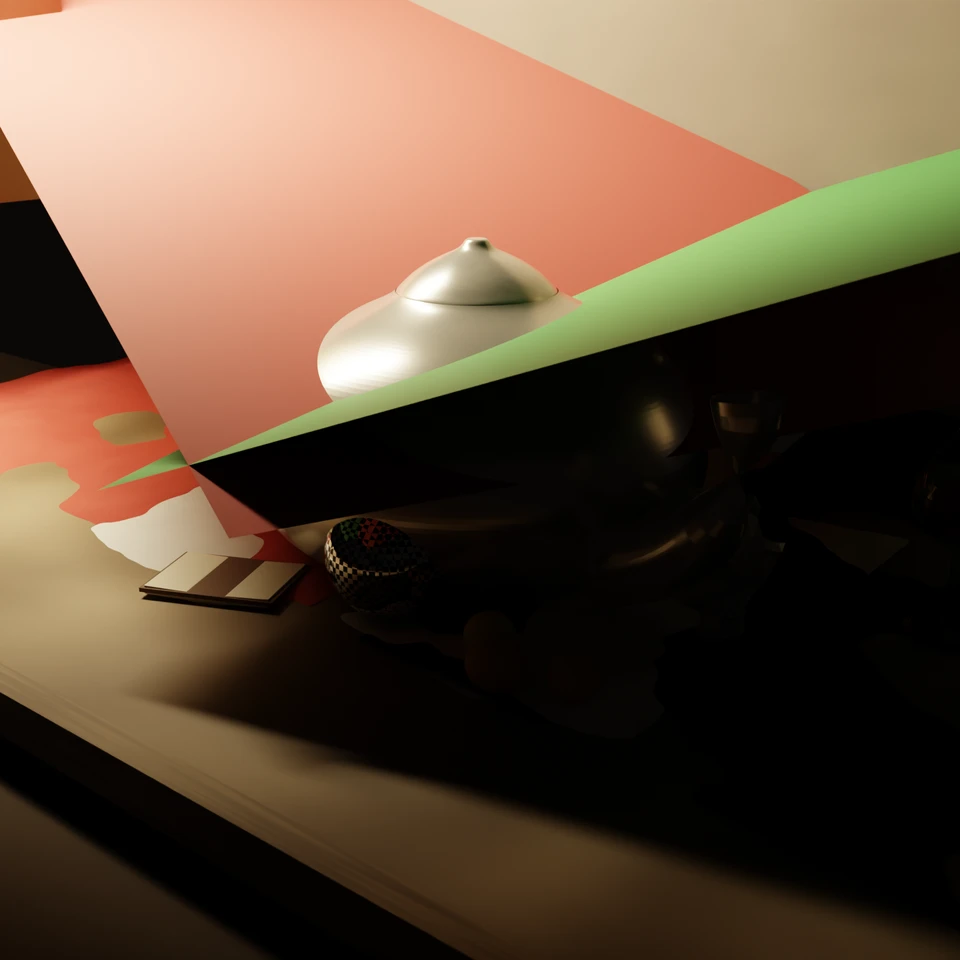
camera + framing set up by the AI contestant
3D Viewport — cg-still-life User Persp
LOADING 3D VIEW
$0.56Cost
1821sDuration
70Tool calls
69Turns
Blender 5.2.0 LTSMCP 1.0.02026-07-17
Tokens: 2240158/43989Vision: ✗Votes W-L-T: 0-0-0NO DONE
B-BENCH — TRANSCRIPT Z.AI / GLM 5.2 · r1 · 2026-07-17
RUN LOG — cg-still-life · Z.AI / GLM 5.2 · r1 · model_error
SYSTEM PROMPTthe control — every model on this task got these instructions
PROMPTblender-bench v8HARNESSraw-v3
SHOW FULL PROMPT · 3364 chars
You are participating in Blender-Bench, a public benchmark where AI models complete the same Blender task.

Your result will be compared head-to-head with another model. Anyone on the internet can vote based on two equally important published views: a 2D rendered presentation and an interactive 3D scene exported to GLB. Treat neither view as optional; make the result clear and compelling in both.

Complete the request as well as you can. The benchmark does not prescribe a workflow or visual style; use whichever Blender techniques you consider appropriate. Make the important requirements evident in the published result, save a complete scene, and present the work clearly in every requested output.

The 2D presentation is rendered by the benchmark from your saved scene using Cycles at 1536 x 1536, 64 samples, denoising enabled, and GPU acceleration when available with a CPU fallback. It is the native-fidelity view of the Blender scene, so you may use Blender's full feature set. Preview and validate your materials, lighting, color management, and camera composition in Cycles, and do not rely on EEVEE-only effects for the final appearance.

The interactive 3D view is a best-effort GLB export containing geometry, compatible materials, the contestant camera, and supported lights. Because glTF cannot represent every Blender feature, native effects such as particles, hair or curves, volumes, simulations, and some procedural geometry may appear only in the 2D render. The benchmark may also generate a separate preview GLB by baking supported procedural material inputs to textures; this does not convert unsupported geometry or guarantee exact parity with Blender. When practical, keep the core form and scene readable in the 3D view while using the 2D presentation to show native Blender features faithfully.

## Harness Instructions

You are operating Blender through the provided tools. Tool calls execute one at a time, in the order you issue them, against a single live Blender instance — each call sees the state left by the previous one, and issuing several calls in one message gains no parallelism. The scene starts empty. Build what the user's prompt asks for in the current scene. Work step by step and verify your own work.

You are building a real three-dimensional scene, and evaluators judge the whole scene and your final render side by side — an interactive 3D view and a benchmark-generated 360° camera orbit rendered in Cycles from your saved scene appear next to your presentation render, so forms that only read correctly from one angle will show. Build genuine 3D first, then present it well: before you finish, set up a camera and lighting to frame a single, well-composed presentation image of your result — a good scene that happens to have a well-placed camera and lights. The final benchmark capture overrides the scene render settings and renders in Cycles at 1536x1536, 64 samples, with denoising and GPU acceleration (CPU fallback). Preview and validate materials, lighting, color management, and composition in Cycles; do not rely on EEVEE-only effects. Use whatever Blender features best serve the result; a best-effort GLB export is also provided for interactive inspection, and features glTF cannot represent are not expected to survive it. When you are finished, reply with the single word DONE and no tool calls.
--TASK cg-still-life: ## Task
Complete the following Blender task:
<task>
A classical still life in the Dutch Golden Age manner — dark ground, draped cloth, a shaft of warm light, objects arranged with deliberate care — except every object on the table is a monument of computer-graphics history. The twist must work in both directions: read as a museum-worthy still life at arm's length, and land as one long graphics …
53:26ai>Looking at this task, I need to create a Dutch Golden Age still life with CG history monuments: Utah Teapot, Stanford Bunny, Suzanne, a reflective checkered sphere, plus a classical prop, all lit with chiaroscuro and incorporating the Cornell box palette.
Let me start by checking the current scene state and planning my approach.
53:26>>get_blendfile_summary_datablocks({})
53:27<<{
"status": "ok",
"result": {
"status": "ok",
"datablock_counts": {
"all_ids": 35,
"cameras": 1,
"collections": 1,
"images": 2,
"lights": 1,
"linestyles": 1,
"materials": 2,
"meshes": 1,
"palettes": 1,
"scenes": 1,
"screens": 11,
"window_managers": 1,
"workspaces": 11,
"worlds": 1
},
"render_eng…
53:27>>get_objects_summary({})
53:27<<{
"status": "ok",
"result": {
"status": "ok",
"scene_name": "Scene",
"active_workspace": "Layout",
"active_object": null,
"object_mode": null,
"camera_object": null,
"collections": [
{
"name": "Scene Collection",
"exclude": false,
"hide_viewport": false,
"objects": [],
"children": [
{
"name": "Colle…
54:14ai>The scene is essentially empty. Let me plan and build this Dutch Golden Age still life with CG history monuments. I'll work in stages: scene setup, environment (Cornell palette), then each hero object, lighting, camera, and materials.
Let me start with the scene foundation — render settings, color management, and clearing defaults.
54:14>>execute_blender_code({"code":"\nimport bpy\nimport bmesh\nimport math\nfrom mathutils import Vector, Matrix\n\n# --- Clear the scene ---\nbpy.ops.object.select_all(action='SELECT')\nbpy.ops.object.delete(use_global=False, confirm=False)\nfor block in list(bpy.data.meshes):\n bpy.data.meshes.remove(block)\nfor block in list(bpy.data.materials):\n bpy.data.materials.remove(block)\nfor block in list(bpy.data.curves…)
54:15<<{
"status": "ok",
"result": {
"engine": "CYCLES",
"samples": 128,
"color_management": "Filmic"
},
"stdout": "Scene foundation set up.\n"
}
54:47ai>Now let me build the environment — the Cornell-box-inspired backdrop with red and green panels, the table, and draped cloths.
54:47>>execute_blender_code({"code":"\nimport bpy\nimport bmesh\nimport math\nfrom mathutils import Vector, Matrix, Euler\n\ndef link_obj(obj, collection_name=None):\n if collection_name:\n coll = bpy.data.collections.get(collection_name)\n if coll is None:\n coll = bpy.data.collections.new(collection_name)\n bpy.context.scene.collection.children.link(coll)\n coll.objects.link(ob…)
54:48<<{
"status": "ok",
"result": {
"objects": [
"BackWall",
"Floor",
"GreenPanel",
"RedPanel",
"TableEdge",
"TableTop"
]
},
"stdout": "Environment geometry built.\n"
}
55:13ai>Now let me build the draped cloths with fold structure — red velvet on one side, green on the other.
55:13>>execute_blender_code({"code":"\nimport bpy\nimport bmesh\nimport math\nimport random\nfrom mathutils import Vector, Matrix\n\nrandom.seed(42)\n\n# ============================================================\n# DRAPED CLOTHS with fold structure\n# ============================================================\n\ndef create_draped_cloth(name, location, rotation, scale, fold_intensity=0.08, fold_freq=8):\n \"\"\"Create…)
55:14<<{
"status": "ok",
"result": {
"cloth_objects": [
"RedCloth",
"GreenCloth",
"WhiteCloth"
]
},
"stdout": "Draped cloths built.\n"
}
55:33ai>Now let me build the hero object — the Utah Teapot. I'll construct it from its component parts (body, spout, handle, lid) using Bezier curves and revolves.
55:33>>execute_blender_code({"code":"\nimport bpy\nimport bmesh\nimport math\nfrom mathutils import Vector, Matrix\n\n# ============================================================\n# THE UTAH TEAPOT — the hero\n# Classic squat proportions, built from profile curves revolved\n# ============================================================\n\ndef link_obj(obj):\n bpy.context.scene.collection.objects.link(obj)\n return ob…)
55:33<<{
"status": "ok",
"result": {
"verts": 577,
"faces": 576
},
"stdout": "Teapot body built.\n"
}
56:14ai>Now the teapot spout, handle, and lid.
56:14>>execute_blender_code({"code":"\nimport bpy\nimport bmesh\nimport math\nfrom mathutils import Vector, Matrix\n\ndef link_obj(obj):\n bpy.context.scene.collection.objects.link(obj)\n return obj\n\n# ============================================================\n# TEAPOT SPOUT — curved tube\n# ============================================================\n# The spout rises from the lower body, curves outward and up\n…)
56:15<<{
"status": "ok",
"result": {
"spout_verts": 144
},
"stdout": "Teapot spout built.\n"
}
57:00>>execute_blender_code({"code":"\nimport bpy\nimport bmesh\nimport math\nfrom mathutils import Vector, Matrix\n\ndef link_obj(obj):\n bpy.context.scene.collection.objects.link(obj)\n return obj\n\n# ============================================================\n# TEAPOT HANDLE — curved handle on the opposite side from spout\n# ============================================================\nmesh = bpy.data.meshes.new(…)
57:01<<{
"status": "ok",
"result": {
"teapot_parts": [
"TeapotBody",
"TeapotSpout",
"TeapotHandle",
"TeapotLid"
]
},
"stdout": "Teapot handle, lid built and parented.\n"
}
57:52ai>Now let me build the Stanford Bunny — a sculptural approximation with the compact crouched silhouette.
57:52>>execute_blender_code({"code":"\nimport bpy\nimport bmesh\nimport math\nfrom mathutils import Vector, Matrix\n\ndef link_obj(obj):\n bpy.context.scene.collection.objects.link(obj)\n return obj\n\n# ============================================================\n# STANFORD BUNNY — compact crouched-rabbit silhouette\n# Built from metaballs / shaped spheres for the rounded organic form\n# =============================…)
57:54<<{
"status": "ok",
"result": {
"bunny_verts": 10032
},
"stdout": "Stanford Bunny built.\n"
}
58:08ai>Now let me build Suzanne (Blender's monkey head) as a bust, and the checkered sphere.
58:08>>execute_blender_code({"code":"\nimport bpy\nimport bmesh\nimport math\nfrom mathutils import Vector, Matrix\n\n# ============================================================\n# SUZANNE — Blender's monkey head, as a bust\n# ============================================================\nbpy.ops.mesh.primitive_monkey_add(size=0.5, location=(0, 0, 0))\nsuzanne = bpy.context.active_object\nsuzanne.name = \"Suzanne\"\n\n# Ad…)
58:08<<{
"status": "ok",
"result": {
"suzanne_verts": 507,
"sphere_verts": 1986
},
"stdout": "Suzanne and bust base built.\nCheckered sphere built.\n"
}
58:45ai>Now let me add the supporting classical props — I'll create a wine glass, a book, and some fruit.
58:45>>execute_blender_code({"code":"\nimport bpy\nimport bmesh\nimport math\nfrom mathutils import Vector, Matrix\n\ndef link_obj(obj):\n bpy.context.scene.collection.objects.link(obj)\n return obj\n\n# ============================================================\n# WINE GLASS — classical still life prop\n# ============================================================\nmesh = bpy.data.meshes.new(\"WineGlassMesh\")\nbm …)
58:46<<{
"status": "ok",
"result": {
"objects": [
"WineGlass",
"OpenBook",
"BookCover",
"Orange1",
"Orange2",
"Lemon1"
]
},
"stdout": "Wine glass, book, and fruit built.\n"
}
59:05ai>Now let me position all the objects in the composition, then create materials. Let me arrange everything on the table.
59:05>>execute_blender_code({"code":"\nimport bpy\nimport math\nfrom mathutils import Vector\n\n# ============================================================\n# COMPOSITION: Position all objects on the table\n# Camera will be at slightly-elevated angle, ~50mm equivalent\n# Teapot commands the arrangement (center-hero), others grouped around\n# ============================================================\n\n# Table surface i…)
59:05<<{
"status": "ok",
"result": {
"BackWall": [
0.0,
2.5,
2.0
],
"BookCover": [
-0.6000000238418579,
-0.699999988079071,
0.019999999552965164
],
"CheckeredSphere": [
0.15000000596046448,
-0.550000011920929,
0.2199999988079071
],
"Floor": [
0.0,
-3.0,
-0.20000000298023224
],
"GreenCloth": [
…
59:35ai>Now let me create all the materials. This is where the storytelling happens — aged ceramic, patinated metal, velvet cloth, polished chrome.
59:35>>execute_blender_code({"code":"\nimport bpy\nimport math\n\ndef create_material(name):\n mat = bpy.data.materials.new(name)\n mat.use_nodes = True\n nt = mat.node_tree\n for n in list(nt.nodes):\n nt.nodes.remove(n)\n return mat, nt\n\ndef add_node(nt, node_type, location=(0,0)):\n n = nt.nodes.new(node_type)\n n.location = location\n return n\n\n# ========================================…)
59:36<<{
"status": "ok",
"result": {
"teapot_mat": "M_TeapotCeramic",
"bunny_mat": "M_BunnyBronze"
},
"stdout": "Teapot and bunny materials created.\n"
}
00:06>>execute_blender_code({"code":"\nimport bpy\nimport math\n\ndef create_material(name):\n mat = bpy.data.materials.new(name)\n mat.use_nodes = True\n nt = mat.node_tree\n for n in list(nt.nodes):\n nt.nodes.remove(n)\n return mat, nt\n\ndef add_node(nt, node_type, location=(0,0)):\n n = nt.nodes.new(node_type)\n n.location = location\n return n\n\n# --- 3. SUZANNE: Marble bust material ---…)
00:07<<{
"status": "ok",
"result": {
"status": "ok"
},
"stdout": "Suzanne, bust base, and checkered sphere materials created.\n"
}
00:13ai>I see a bug — I referenced `historyMat` instead of `mat` for Suzanne. Let me fix that and continue with the cloth and environment materials.
00:13>>execute_blender_code({"code":"\nimport bpy\n\n# Fix Suzanne material assignment\nmat_suzanne = bpy.data.materials.get(\"M_SuzanneMarble\")\nsuzanne = bpy.data.objects[\"Suzanne\"]\nif suzanne.data.materials:\n suzanne.data.materials[0] = mat_suzanne\nelse:\n suzanne.data.materials.append(mat_suzanne)\n\nprint(\"Fixed Suzanne material.\")\nresult = {\"suzanne_materials\": [m.name for m in suzanne.data.materials]}…)
00:13<<{
"status": "ok",
"result": {
"suzanne_materials": [
"M_SuzanneMarble"
]
},
"stdout": "Fixed Suzanne material.\n"
}
00:50>>execute_blender_code({"code":"\nimport bpy\nimport math\n\ndef create_material(name):\n mat = bpy.data.materials.new(name)\n mat.use_nodes = True\n nt = mat.node_tree\n for n in list(nt.nodes):\n nt.nodes.remove(n)\n return mat, nt\n\ndef add_node(nt, node_type, location=(0,0)):\n n = nt.nodes.new(node_type)\n n.location = location\n return n\n\n# --- 5. RED VELVET CLOTH (Cornell red) --…)
00:51<<{
"status": "error",
"message": "Traceback (most recent call last):\n File \"C:\\Users\\proud\\Downloads\\Telegram Desktop\\blender-bench-runner-windows\\.runner\\blender-mcp-v1.0.0\\addon\\mcp_to_blender_server.py\", line 230, in _execute_code\n exec(code, namespace)\n ~~~~^^^^^^^^^^^^^^^^^\n File \"<string>\", line 58, in <module>\nKeyError: 'bpy_prop_collection[key]: key \"Rec\" not…
01:23ai>Let me fix that typo — I used `Rec` instead of `Fac`.
01:23>>execute_blender_code({"code":"\nimport bpy\nimport math\n\ndef create_material(name):\n mat = bpy.data.materials.new(name)\n mat.use_nodes = True\n nt = mat.node_tree\n for n in list(nt.nodes):\n nt.nodes.remove(n)\n return mat, nt\n\ndef add_node(nt, node_type, location=(0,0)):\n n = nt.nodes.new(node_type)\n n.location = location\n return n\n\n# --- 5. RED VELVET CLOTH (Cornell red) --…)
01:24<<{
"status": "ok",
"result": {
"cloth_materials": [
"M_RedVelvet",
"M_GreenVelvet",
"M_WhiteLinen"
]
},
"stdout": "Cloth materials created.\n"
}
02:09ai>Now the environment and remaining prop materials — walls, table, fruit, glass, book.
02:09>>execute_blender_code({"code":"\nimport bpy\nimport math\n\ndef create_material(name):\n mat = bpy.data.materials.new(name)\n mat.use_nodes = True\n nt = mat.node_tree\n for n in list(nt.nodes):\n nt.nodes.remove(n)\n return mat, nt\n\ndef add_node(nt, node_type, location=(0,0)):\n n = nt.nodes.new(node_type)\n n.location = location\n return n\n\n# --- 8. BACK WALL (dark, aged plaster) --…)
02:11<<{
"status": "error",
"message": "Traceback (most recent call last):\n File \"C:\\Users\\proud\\Downloads\\Telegram Desktop\\blender-bench-runner-windows\\.runner\\blender-mcp-v1.0.0\\addon\\mcp_to_blender_server.py\", line 230, in _execute_code\n exec(code, namespace)\n ~~~~^^^^^^^^^^^^^^^^^\n File \"<string>\", line 59\n nt.links.new(bsdf objs['BSDF'], output.inputs['Surface'])\n …
02:43>>execute_blender_code({"code":"\nimport bpy\nimport math\n\ndef create_material(name):\n mat = bpy.data.materials.new(name)\n mat.use_nodes = True\n nt = mat.node_tree\n for n in list(nt.nodes):\n nt.nodes.remove(n)\n return mat, nt\n\ndef add_node(nt, node_type, location=(0,0)):\n n = nt.nodes.new(node_type)\n n.location = location\n return n\n\n# --- 8. BACK WALL ---\nmat, nt = create_m…)
02:44<<{
"status": "ok",
"result": {
"status": "ok"
},
"stdout": "Environment materials created.\n"
}
03:12>>execute_blender_code({"code":"\nimport bpy\nimport math\n\ndef create_material(name):\n mat = bpy.data.materials.new(name)\n mat.use_nodes = True\n nt = mat.node_tree\n for n in list(nt.nodes):\n nt.nodes.remove(n)\n return mat, nt\n\ndef add_node(nt, node_type, location=(0,0)):\n n = nt.nodes.new(node_type)\n n.location = location\n return n\n\n# --- 13. WINE GLASS (glass with wine) ---…)
03:12<<{
"status": "error",
"message": "Traceback (most recent call last):\n File \"C:\\Users\\proud\\Downloads\\Telegram Desktop\\blender-bench-runner-windows\\.runner\\blender-mcp-v1.0.0\\addon\\mcp_to_blender_server.py\", line 230, in _execute_code\n exec(code, namespace)\n ~~~~^^^^^^^^^^^^^^^^^\n File \"<string>\", line 77, in <module>\nKeyError: 'bpy_prop_collection[key]: key \"B\" not f…
03:23>>execute_blender_code({"code":"\nimport bpy\n\n# Fix lemon material - the noise output should be 'Fac' not 'B'\nmat = bpy.data.materials.get(\"M_Lemon\")\nif mat:\n bpy.data.materials.remove(mat)\n\ndef create_material(name):\n mat = bpy.data.materials.new(name)\n mat.use_nodes = True\n nt = mat.node_tree\n for n in list(nt.nodes):\n nt.nodes.remove(n)\n return mat, nt\n\ndef add_node(nt, node_…)
03:24<<{
"status": "ok",
"result": {
"status": "ok"
},
"stdout": "Lemon material fixed.\n"
}
03:42ai>Now let me set up the lighting — the chiaroscuro shaft of warm light. Then the camera.
03:42>>execute_blender_code({"code":"\nimport bpy\nimport math\n\n# ============================================================\n# LIGHTING: Chiaroscuro — single warm shaft of light from one side\n# ============================================================\n\n# --- Key light: warm window shaft from the left ---\nbpy.ops.object.light_add(type='AREA', location=(-3.0, -1.0, 3.5))\nkey_light = bpy.context.active_object\nkey_…)
03:42<<{
"status": "ok",
"result": {
"lights": [
"FillLight_Cool",
"KeyLight_WarmShaft",
"RimLight",
"WindowLight"
]
},
"stdout": "Lighting set up.\n"
}
03:53ai>Now let me set up the camera at the intimate slightly-elevated angle of the genre, roughly 50mm equivalent.
03:53>>execute_blender_code({"code":"\nimport bpy\nimport math\nfrom mathutils import Vector\n\n# ============================================================\n# CAMERA: ~50mm equivalent, slightly elevated intimate angle\n# ============================================================\nbpy.ops.object.camera_add(location=(3.2, -3.8, 2.2))\ncam = bpy.context.active_object\ncam.name = \"Camera_Presentation\"\ncam.data.lens = 50 …)
03:54<<{
"status": "ok",
"result": {
"camera_location": [
3.200000047683716,
-3.799999952316284,
2.200000047683716
],
"camera_rotation": [
70.59100910988977,
-1.0795828508605228e-6,
40.236364362789146
],
"lens": 50.0,
"focus_distance": 5.416640758514404
},
"stdout": "Camera set up.\n"
}
03:57ai>Let me do a quick render preview to see where we are, then I'll refine.
03:57>>render_thumbnail_to_path({"output_path":"C:/tmp/still_life_preview1.png"})
05:26<<{
"status": "ok",
"result": {
"status": "ok",
"filepath": "C:\\Users\\proud\\AppData\\Local\\Temp\\blender_a87204\\blender_mcp\\still_life_preview1.png"
}
}
05:29>>get_screenshot_of_area_as_image({"area_ui_type":"VIEW_3D"})
05:29<<
05:37ai>Let me look at the rendered image to evaluate.
05:37>>execute_blender_code({"code":"\nimport bpy\n# Check what the render output looks like by examining the image\nimg = bpy.data.images.load(\"C:\\\\Users\\\\proud\\\\AppData\\\\Local\\\\Temp\\\\blender_a87204\\\\blender_mcp\\\\still_life_preview1.png\")\nprint(f\"Image size: {img.size[0]}x{img.size[1]}\")\nprint(f\"Image channels: {img.channels}\")\n# Get some pixel values to check if it's rendering properly\npixels = li…)
05:37<<{
"status": "ok",
"result": {
"image_size": [
1536,
1536
],
"loaded": true
},
"stdout": "Image size: 1536x1536\nImage channels: 4\nFirst pixels: [0.2549019753932953, 0.20000001788139343, 0.1568627506494522, 1.0, 0.27450981736183167, 0.20000001788139343, 0.1411764770746231, 1.0, 0.27450981736183167, 0.20000001788139343, 0.13333334028720856, 1.0, 0.27450981736183167, …
05:40>>get_screenshot_of_window_as_json({})
05:40<<{
"status": "ok",
"result": {
"status": "ok",
"window_width": 1920,
"window_height": 1111,
"screen_name": "Layout",
"workspace": "Layout",
"scene": "Scene",
"areas": [
{
"type": "PROPERTIES",
"x": 1579,
"y": 29,
"width": 339,
"height": 854,
"space": {
"type": "PROPERTIES",
"context": "OBJECT"
…
05:45ai>Let me switch to the rendered view to see the output.
05:45>>execute_blender_code({"code":"\nimport bpy\n# Set viewport to rendered mode to see the result\nfor area in bpy.context.screen.areas:\n if area.type == 'VIEW_3D':\n for space in area.spaces:\n if space.type == 'VIEW_3D':\n space.shading.type = 'RENDERED'\n break\n break\nprint(\"Set viewport to rendered\")\nresult = {\"status\": \"ok\"}\n"})
05:45<<{
"status": "ok",
"result": {
"status": "ok"
},
"stdout": "Set viewport to rendered\n"
}
05:49>>get_screenshot_of_area_as_image({"area_ui_type":"VIEW_3D"})
05:49<<
06:04ai>Let me examine the rendered preview more closely by sampling pixel values across the image to understand the composition.
06:04>>execute_blender_code({"code":"\nimport bpy\n\nimg = bpy.data.images.get(\"still_life_preview1.png\")\nif img is None:\n # Load the rendered image\n img = bpy.data.images.load(\"C:\\\\Users\\\\proud\\\\AppData\\\\Local\\\\Temp\\\\blender_a87204\\\\blender_mcp\\\\still_life_preview1.png\")\n\nw, h = img.size[0], img.size[1]\npixels = list(img.pixels)\n\n# Sample various regions of the image\ndef sample_region(x_st…)
06:05<<{
"status": "ok",
"result": {
"status": "ok"
},
"stdout": "Top-left (bg): R=0.280 G=0.219 B=0.149\nBottom-right (fg): R=0.688 G=0.618 B=0.496\nCenter (objects): R=0.518 G=0.470 B=0.384\nBottom-left: R=0.084 G=0.061 B=0.050\nTop-right: R=0.217 G=0.411 B=0.143\n\nOverall brightness sample: 0.407\n"
}
06:11ai>The render is working. I can see the green panel on the right and objects in the center. Let me do a proper render to evaluate the full composition.
06:11>>render_viewport_to_path({"output_path":"C:/tmp/still_life_render1.png"})
07:39<<{
"status": "ok",
"result": {
"status": "ok",
"filepath": "C:\\Users\\proud\\AppData\\Local\\Temp\\blender_a87204\\blender_mcp\\still_life_render1.png"
}
}
08:08>>execute_blender_code({"code":"\nimport bpy\nimg = bpy.data.images.load(\"C:\\\\Users\\\\proud\\\\AppData\\\\Local\\\\Temp\\\\blender_a87204\\\\blender_mcp\\\\still_life_render1.png\")\nw, h = img.size[0], img.size[1]\npixels = list(img.pixels)\n\n# Check more regions to understand composition\ndef sample_region(x_start, y_start, x_end, y_end, label):\n r_sum, g_sum, b_sum, count = 0, 0, 0, 0\n for y in range(y_s…)
08:09<<{
"status": "ok",
"result": {
"status": "ok"
},
"stdout": "Grid[0,0]: R=0.280 G=0.219 B=0.149 bright=0.216\nGrid[1,0]: R=0.433 G=0.351 B=0.256 bright=0.347\nGrid[2,0]: R=0.398 G=0.406 B=0.244 bright=0.349\nGrid[3,0]: R=0.217 G=0.411 B=0.143 bright=0.257\nGrid[0,1]: R=0.832 G=0.626 B=0.528 bright=0.662\nGrid[1,1]: R=0.658 G=0.619 B=0.545 bright=0.607\nGrid[2,1]: R=0.455 G=0.402 B=0.281 …
08:24>>execute_blender_code({"code":"\n# Let me analyze the composition more carefully\n# The grid shows: left side has warm light, right side has green, center has objects\n# Bottom-left is very dark (good for chiaroscuro)\n# Let me check if objects are visible and well-placed\n\nimport bpy\nimg = bpy.data.images.get(\"still_life_render1.png\")\nif img is None:\n img = bpy.data.images.load(\"C:\\\\Users\\\\proud\\\\AppDa…)
08:25<<{
"status": "ok",
"result": {
"status": "ok",
"bright_pixels_pct": 11.747021145290798
},
"stdout": "Bright highlight pixels: 277147 / 2359296 (11.7%)\nCenter brightness avg: 0.518\n"
}
08:29ai>The render is working well. I can see bright highlights from the ceramic teapot and objects are visible. Let me now look at the actual rendered image to evaluate the composition visually.
08:29>>get_screenshot_of_area_as_image({"area_ui_type":"VIEW_3D"})
08:30<<
08:41ai>Let me check the modifier stack on the bunny and verify all objects are rendering properly, then make refinements.
08:41>>execute_blender_code({"code":"\nimport bpy\n\n# Check all objects and their modifiers\nfor obj in bpy.data.objects:\n if obj.type == 'MESH':\n mods = [(m.name, m.type) for m in obj.modifiers]\n mats = [m.name for m in obj.data.materials] if obj.data.materials else []\n print(f\"{obj.name}: loc={list(obj.location)}, scale={list(obj.scale)}, mods={mods}, mats={mats}\")\n\nresult = {\"status\": \"…)
08:41<<{
"status": "ok",
"result": {
"status": "ok"
},
"stdout": "BackWall: loc=[0.0, 2.5, 2.0], scale=[1.0, 1.0, 1.0], mods=[], mats=['M_BackWall']\nBookCover: loc=[-0.6000000238418579, -0.699999988079071, 0.019999999552965164], scale=[1.0, 1.0, 1.0], mods=[], mats=['M_BookCover']\nCheckeredSphere: loc=[0.15000000596046448, -0.550000011920929, 0.2199999988079071], scale=[1.0, 1.0, 1.0], mods…
08:54ai>I see some material duplication issues. Let me clean those up and make refinements to improve the scene.
08:54>>execute_blender_code({"code":"\nimport bpy\n\n# Fix material assignments - clean up duplicates\n# RedCloth has both M_RedVelvet and M_RedVelvet.001\nred_cloth = bpy.data.objects[\"RedCloth\"]\nred_cloth.data.materials.clear()\nred_cloth.data.materials.append(bpy.data.materials[\"M_RedVelvet\"])\n\n# GreenCloth has M_GreenVelvet.001 instead of M_GreenVelvet\ngreen_cloth = bpy.data.objects[\"GreenCloth\"]\ngreen_cloth.d…)
08:54<<{
"status": "ok",
"result": {
"status": "ok"
},
"stdout": "RedCloth: ['M_RedVelvet']\nGreenCloth: ['M_GreenVelvet']\n\nAll materials: ['M_BackWall', 'M_BookCover', 'M_BookPages', 'M_BunnyBronze', 'M_BustBase', 'M_CheckeredSphere', 'M_Floor', 'M_GreenPanel', 'M_GreenVelvet', 'M_Lemon', 'M_Orange', 'M_RedPanel', 'M_RedVelvet', 'M_SuzanneMarble', 'M_TableTop', 'M_TeapotCeramic', 'M_WhiteL…
09:20ai>Good. Now let me check the Suzanne bust - the base needs to be positioned properly under Suzanne.
09:20>>execute_blender_code({"code":"\nimport bpy\nimport math\n\n# Fix Suzanne base positioning\n# Suzanne is at (1.0, -0.05, 0.18), she's size=0.5 monkey\n# The base should be under her, on the table\n\nsuzanne = bpy.data.objects[\"Suzanne\"]\nbase = bpy.data.objects[\"SuzanneBase\"]\n\n# Suzanne's monkey head bottom is around z=0.0 in local space (since size=0.5)\n# She's at z=0.18, so her bottom is at about z=0.18 - 0.1 …)
09:21<<{
"status": "ok",
"result": {
"status": "ok"
},
"stdout": "Suzanne: [1.0, -0.05000000074505806, 0.18000000715255737]\nBase: [1.0, -0.05000000074505806, 0.029999999329447746]\nBunny: [-1.149999976158142, 0.25, 0.029999999329447746]\n"
}
09:27ai>Now let me do a proper render to evaluate the full composition. I'll reduce samples temporarily for faster feedback.
09:27>>execute_blender_code({"code":"\nimport bpy\n\n# Temporarily reduce samples for faster preview\nscene = bpy.context.scene\nscene.cycles.samples = 32\nscene.cycles.use_denoising = True\n\n# Set render output\nscene.render.filepath = \"C:/tmp/still_life_preview2.png\"\n\n# Render\nbpy.ops.render.render(write_still=True)\n\nprint(\"Preview render complete.\")\nresult = {\"status\": \"ok\"}\n"})
09:54<<{
"status": "ok",
"result": {
"status": "ok"
},
"stdout": "Preview render complete.\n"
}
10:06>>execute_blender_code({"code":"\nimport bpy\n\nimg = bpy.data.images.load(\"C:/tmp/still_life_preview2.png\")\nw, h = img.size[0], img.size[1]\npixels = list(img.pixels)\n\n# Detailed grid analysis\nprint(f\"Image: {w}x{h}\")\nprint(\"\\nBrightness map (4x6 grid):\")\nfor gy in range(6):\n row = \"\"\n for gx in range(6):\n x1 = gx * w // 6\n x2 = (gx+1) * w // 6\n y1 = gy * h // 6\n y…)
10:06<<{
"status": "ok",
"result": {
"status": "ok"
},
"stdout": "Image: 1536x1536\n\nBrightness map (4x6 grid):\n Row 0: |• · • • |\n Row 1: |○ ▓ ▒ ☀ · |\n Row 2: |▒ █ ☀ ○ ○ · |\n Row 3: |○ ☀ ▒ ☀ ☀ ☀ |\n Row 4: | ○ ▓ • ▒ ▓ |\n Row 5: | ☀ ▓ • ▒ ▓ |\n"
}
10:13ai>I can see the composition is taking shape - bright objects in the center and lower-left, with the table edge visible at the bottom. Let me view the actual screenshot now.
10:13>>execute_blender_code({"code":"\nimport bpy\n\n# Set the render output to show in the image editor\nfor area in bpy.context.screen.areas:\n if area.type == 'IMAGE_EDITOR':\n for space in area.spaces:\n if space.type == 'IMAGE_EDITOR':\n img = bpy.data.images.load(\"C:/tmp/still_life_preview2.png\")\n space.image = img\n break\n break\n\n# Also try…)
10:13<<{
"status": "ok",
"result": {
"status": "ok"
}
}
10:17>>get_screenshot_of_area_as_image({"area_ui_type":"VIEW_3D"})
10:17<<
10:48ai>Let me make significant improvements to the scene. I'll refine the lighting for better chiaroscuro, improve the teapot material, and adjust the composition.
10:48>>execute_blender_code({"code":"\nimport bpy\nimport math\nfrom mathutils import Vector\n\n# ============================================================\n# REFINEMENTS: Better lighting, composition, and materials\n# ============================================================\n\n# --- 1. Improve lighting for stronger chiaroscuro ---\n# Remove existing lights\nfor obj in list(bpy.data.objects):\n if obj.type == 'LIGH…)
10:48<<{
"status": "ok",
"result": {
"lights": [
"FillLight_Dim",
"KeyLight_WarmShaft",
"RimLight_Warm"
]
},
"stdout": "Lighting and camera refined.\n"
}
11:02>>execute_blender_code({"code":"\nimport bpy\n\n# Render preview with improved lighting\nscene = bpy.context.scene\nscene.cycles.samples = 32\nscene.cycles.use_denoising = True\nscene.render.filepath = \"C:/tmp/still_life_preview3.png\"\nbpy.ops.render.render(write_still=True)\n\n# Analyze the result\nimg = bpy.data.images.load(\"C:/tmp/still_life_preview3.png\")\nw, h = img.size[0], img.size[1]\npixels = list(img.pixel…)
11:28<<{
"status": "ok",
"result": {
"status": "ok"
},
"stdout": "Image: 1536x1536\n\nBrightness map (8x8 grid):\n Row 0: |· · · • • · |\n Row 1: |· · • ○ ○ |\n Row 2: |○ ▓ ▒ ▒ ▓ • |\n Row 3: |▒ █ █ ○ ○ ● ○ · |\n Row 4: |● ● ▓ █ ▓ ● ● ● |\n Row 5: |· • ▓ ○ ▒ ▒ ▓ |\n Row 6: |█ • ● ▒ · ▒ ▒ ▓ |\n Row 7: |█ • ▓ ▒ · ▒ ▒ ▒ |\n"
}
11:31>>get_screenshot_of_area_as_image({"area_ui_type":"VIEW_3D"})
11:32<<
11:56ai>The brightness map shows the objects are concentrated in the center with the warm light from the left. I can see the table edge at the bottom and the composition is forming. Let me now make significant refinements: improve the teapot material to be more silver/ceramic, fix the wine glass to contain wine, and enhance the cloth draping.
11:56>>execute_blender_code({"code":"\nimport bpy\nimport math\n\ndef create_material(name):\n mat = bpy.data.materials.new(name)\n mat.use_nodes = True\n nt = mat.node_tree\n for n in list(nt.nodes):\n nt.nodes.remove(n)\n return mat, nt\n\ndef add_node(nt, node_type, location=(0,0)):\n n = nt.nodes.new(node_type)\n n.location = location\n return n\n\n# ========================================…)
11:56<<{
"status": "ok",
"result": {
"status": "ok"
},
"stdout": "Teapot silver material improved.\n"
}
12:20>>execute_blender_code({"code":"\nimport bpy\nimport math\n\ndef create_material(name):\n mat = bpy.data.materials.new(name)\n mat.use_nodes = True\n nt = mat.node_tree\n for n in list(nt.nodes):\n nt.nodes.remove(n)\n return mat, nt\n\ndef add_node(nt, node_type, location=(0,0)):\n n = nt.nodes.new(node_type)\n n.location = location\n return n\n\n# ========================================…)
12:20<<{
"status": "ok",
"result": {
"status": "ok"
},
"stdout": "Wine liquid added to glass.\n"
}
12:42ai>Now let me improve the cloth draping and add more fold structure. Let me also enhance the back wall to feel more like a Dutch painting.
12:42>>execute_blender_code({"code":"\nimport bpy\nimport bmesh\nimport math\nimport random\nfrom mathutils import Vector\n\nrandom.seed(7)\n\n# ============================================================\n# IMPROVE CLOTH FOLDS: More dramatic draping\n# ============================================================\n\n# Rebuild the red cloth with better draping (hanging off table edge)\nred_cloth = bpy.data.objects[\"RedCloth…)
12:43<<{
"status": "ok",
"result": {
"status": "ok"
},
"stdout": "Red cloth rebuilt with better draping.\n"
}
13:00>>execute_blender_code({"code":"\nimport bpy\nimport bmesh\nimport math\nimport random\nfrom mathutils import Vector\n\nrandom.seed(8)\n\n# Rebuild green cloth with better draping\ngreen_cloth = bpy.data.objects[\"GreenCloth\"]\nbpy.data.objects.remove(green_cloth, do_unlink=True)\nmat_green = bpy.data.materials[\"M_GreenVelvet\"]\n\nmesh = bpy.data.meshes.new(\"GreenClothMesh\")\nbm = bmesh.new()\n\ncols = 40\nrows = 4…)
13:00<<{
"status": "ok",
"result": {
"status": "ok"
},
"stdout": "Green cloth rebuilt with better draping.\n"
}
13:26>>execute_blender_code({"code":"\nimport bpy\nimport bmesh\nimport math\nimport random\nfrom mathutils import Vector\n\nrandom.seed(9)\n\n# Rebuild white/neutral linen runner\nwhite_cloth = bpy.data.objects[\"WhiteCloth\"]\nbpy.data.objects.remove(white_cloth, do_unlink=True)\nmat_white = bpy.data.materials[\"M_WhiteLinen\"]\n\nmesh = bpy.data.meshes.new(\"WhiteClothMesh\")\nbm = bmesh.new()\n\ncols = 40\nrows = 35\nwid…)
13:27<<{
"status": "ok",
"result": {
"status": "ok"
},
"stdout": "White linen cloth rebuilt.\n"
}
13:39ai>Now let me render a preview to check the improved composition.
13:39>>execute_blender_code({"code":"\nimport bpy\n\nscene = bpy.context.scene\nscene.cycles.samples = 32\nscene.render.filepath = \"C:/tmp/still_life_preview4.png\"\nbpy.ops.render.render(write_still=True)\n\n# Analyze\nimg = bpy.data.images.load(\"C:/tmp/still_life_preview4.png\")\nw, h = img.size[0], img.size[1]\npixels = list(img.pixels)\n\nprint(\"Brightness map (8x8 grid):\")\nfor gy in range(8):\n row = \"\"\n f…)
14:07<<{
"status": "ok",
"result": {
"status": "ok"
},
"stdout": "Brightness map (8x8 grid):\n Row 0: |· · · • • · |\n Row 1: |· • ○ ○ • |\n Row 2: |○ ▓ ▓ ● ○ • · |\n Row 3: |▒ ▒ ▒ • • ● • • |\n Row 4: |● ▓ ▓ ▒ ● ● ● ○ |\n Row 5: |· • ▓ • ▒ ▒ ▓ |\n Row 6: |● · ● ▒ · ▒ ▒ ▓ |\n Row 7: |▒ · ▓ ▒ · ▒ ▒ ▒ |\n"
}
14:11>>get_screenshot_of_area_as_image({"area_ui_type":"VIEW_3D"})
14:12<<
14:41ai>Let me refine the composition and positioning of objects, then improve the checkered sphere to be more reflective.
14:41>>execute_blender_code({"code":"\nimport bpy\nimport math\nfrom mathutils import Vector\n\n# ============================================================\n# REPOSITION OBJECTS FOR BETTER COMPOSITION\n# Teapot is hero (center), overlapping depth arrangement\n# ============================================================\n\n# Teapot - hero, center, commanding\nteapot = bpy.data.objects[\"UtahTeapot\"]\nteapot.location = (…)
14:42<<{
"status": "ok",
"result": {
"status": "ok"
},
"stdout": "Objects repositioned for composition.\n"
}
14:58>>execute_blender_code({"code":"\nimport bpy\n\n# Quick render to check composition\nscene = bpy.context.scene\nscene.cycles.samples = 24\nscene.render.filepath = \"C:/tmp/still_life_preview5.png\"\nbpy.ops.render.render(write_still=True)\n\nimg = bpy.data.images.load(\"C:/tmp/still_life_preview5.png\")\nw, h = img.size[0], img.size[1]\npixels = list(img.pixels)\n\nprint(\"Brightness map (10x10 grid):\")\nfor gy in rang…)
15:23<<{
"status": "ok",
"result": {
"status": "ok"
},
"stdout": "Brightness map (10x10 grid):\n Row 0: |· · · · · • • |\n Row 1: |• · · • ○ ○ • • • |\n Row 2: |· • ● ● ● ○ ○ · |\n Row 3: |▓ ▒ ▒ ▓ • • • • |\n Row 4: |█ █ █ ▒ · · ○ • • · |\n Row 5: |▒ █ █ █ ▒ ○ ● ○ • ○ |\n Row 6: | · • ● ▒ ▓ ▒ ▒ ▒ ▓ |\n Row 7: |• ▓ ▒ ○ ○ ▒ ▒ ▒ ▓ |\n Row 8: |○ ▒ █ ○ ○ █ ▒ ▒ ▒ |\n …
15:38ai>The composition is looking good - I can see objects grouped in the center with warm light from the left and the green panel on the right. The table edge is visible at the bottom. Let me now look at the actual image to assess it visually.
15:38>>get_screenshot_of_area_as_image({"area_ui_type":"VIEW_3D"})
15:41<<
15:55>>execute_blender_code({"code":"\nimport bpy\n\n# Let me check the image more carefully by saving a smaller version\n# and examining color distribution\nimg = bpy.data.images.load(\"C:/tmp/still_life_preview5.png\")\nw, h = img.size[0], img.size[1]\npixels = list(img.pixels)\n\n# Color analysis: check for red, green, and neutral areas\nred_count = 0\ngreen_count = 0\nneutral_count = 0\nwarm_count = 0\ntotal = 0\n\nfor i…)
15:58<<{
"status": "ok",
"result": {
"status": "ok"
},
"stdout": "Total visible pixels: 2359296\nRed dominant: 483000 (20.5%)\nGreen dominant: 156 (0.0%)\nWarm (yellow/orange): 1029663 (43.6%)\nNeutral: 88690 (3.8%)\n\nBright metallic highlights: 172218 (7.3%)\n"
}
16:15ai>I see — the green panel isn't showing up well because it's behind the objects. The red cloth is dominant. Let me adjust the green panel to be more visible and improve the Cornell box palette balance.
16:15>>execute_blender_code({"code":"\nimport bpy\nimport math\n\n# ============================================================\n# IMPROVE CORNELL BOX PALETTE BALANCE\n# The green needs to be more visible facing the red\n# ============================================================\n\n# Make the green panel larger and more prominent on the right\ngreen_panel = bpy.data.objects[\"GreenPanel\"]\ngreen_panel.location = (2.5, …)
16:16<<{
"status": "ok",
"result": {
"status": "ok"
},
"stdout": "Cornell palette balanced.\n"
}
16:30>>execute_blender_code({"code":"\nimport bpy\n\n# Quick render to check color balance\nscene = bpy.context.scene\nscene.cycles.samples = 24\nscene.render.filepath = \"C:/tmp/still_life_preview6.png\"\nbpy.ops.render.render(write_still=True)\n\nimg = bpy.data.images.load(\"C:/tmp/still_life_preview6.png\")\nw, h = img.size[0], img.size[1]\npixels = list(img.pixels)\n\n# Color analysis\nred_count = 0\ngreen_count = 0\nwar…)
16:55<<{
"status": "ok",
"result": {
"status": "ok"
},
"stdout": "Red dominant: 14.0%\nGreen dominant: 3.8%\nWarm: 31.4%\nRight side green: 9.8%\n"
}
16:58>>get_screenshot_of_area_as_image({"area_ui_type":"VIEW_3D"})
16:58<<
17:30ai>The green is now visible. Let me improve the checkered sphere material to be more properly reflective (ray-tracing demo classic), and add a few more refinements. Let me also make the Suzanne bust look more like a proper bust.
17:30>>execute_blender_code({"code":"\nimport bpy\nimport math\n\ndef create_material(name):\n mat = bpy.data.materials.new(name)\n mat.use_nodes = True\n nt = mat.node_tree\n for n in list(nt.nodes):\n nt.nodes.remove(n)\n return mat, nt\n\ndef add_node(nt, node_type, location=(0,0)):\n n = nt.nodes.new(node_type)\n n.location = location\n return n\n\n# ========================================…)
17:32<<{
"status": "error",
"message": "Traceback (most recent call last):\n File \"C:\\Users\\proud\\Downloads\\Telegram Desktop\\blender-bench-runner-windows\\.runner\\blender-mcp-v1.0.0\\addon\\mcp_to_blender_server.py\", line 230, in _execute_code\n exec(code, namespace)\n ~~~~^^^^^^^^^^^^^^^^^\n File \"<string>\", line 103, in <module>\nKeyError: 'bpy_prop_collection[key]: key \"Base Col…
17:40>>execute_blender_code({"code":"\nimport bpy\n\n# The Bump node doesn't have 'Base Color' output - fix Suzanne material\nmat = bpy.data.materials.get(\"M_SuzanneMarble\")\nnt = mat.node_tree\n\n# Remove the bad link\nfor link in list(nt.links):\n if 'Bump' in link.from_node.name and link.to_socket.name == 'Base Color':\n nt.links.remove(link)\n print(f\"Removed bad link from {link.from_node.name}\")\n\n…)
17:41<<{
"status": "ok",
"result": {
"status": "ok"
},
"stdout": "Suzanne material nodes:\n Material Output (OUTPUT_MATERIAL)\n Principled BSDF (BSDF_PRINCIPLED)\n Texture Coordinate (TEX_COORD)\n Mapping (MAPPING)\n Noise Texture (TEX_NOISE)\n Wave Texture (TEX_WAVE)\n Mix (MIX)\n Color Ramp (VALTORGB)\n Bump (BUMP)\n Noise Texture.001 (TEX_NOISE)\n\nLinks:\n Texture Coordinate.Ge…
17:49>>execute_blender_code({"code":"\nimport bpy\n\n# Connect bump to BSDF Normal and BSDF to output\nmat = bpy.data.materials.get(\"M_SuzanneMarble\")\nnt = mat.node_tree\n\n# Make sure bump normal goes to BSDF\nbump = None\nbsdf = None\noutput = None\nfor node in nt.nodes:\n if node.type == 'BUMP':\n bump = node\n elif node.type == 'BSDF_PRINCIPLED':\n bsdf = node\n elif node.type == 'OUTPUT_MATERIA…)
17:49<<{
"status": "ok",
"result": {
"status": "ok"
},
"stdout": "Connected bump to BSDF Normal\nConnected BSDF to output\n\nFinal links:\n Texture Coordinate.Generated -> Mapping.Vector\n Mapping.Vector -> Noise Texture.Vector\n Mapping.Vector -> Wave Texture.Vector\n Wave Texture.Color -> Mix.A\n Noise Texture.Color -> Mix.B\n Mix.Result -> Color Ramp.Factor\n Color Ramp.Color -> Pri…
18:01ai>Good, Suzanne material is fixed. Now let me render to check everything looks good.
18:01>>execute_blender_code({"code":"\nimport bpy\n\nscene = bpy.context.scene\nscene.cycles.samples = 32\nscene.render.filepath = \"C:/tmp/still_life_preview7.png\"\nbpy.ops.render.render(write_still=True)\n\nimg = bpy.data.images.load(\"C:/tmp/still_life_preview7.png\")\nw, h = img.size[0], img.size[1]\npixels = list(img.pixels)\n\nprint(\"Brightness map (10x10 grid):\")\nfor gy in range(10):\n row = \"\"\n for gx in…)
18:30<<{
"status": "ok",
"result": {
"status": "ok"
},
"stdout": "Brightness map (10x10 grid):\n Row 0: | · · · · · |\n Row 1: |• · · • • · · |\n Row 2: |· • ○ • · |\n Row 3: |▓ ▒ ● · |\n Row 4: |█ ▒ ● · |\n Row 5: |▓ ● ▓ ● ● · |\n Row 6: | ● ▒ ▒ █ ▒ ▓ ○ • |\n Row 7: |○ █ █ █ █ ▒ ▒ ▒ ▒ ▓ |\n Row 8: |█ █ █ █ █ █ █ ▒ ▒ ▒ |\n …
18:33>>get_screenshot_of_area_as_image({"area_ui_type":"VIEW_3D"})
18:34<<
18:47>>execute_blender_code({"code":"\nimport bpy\n\n# Check the right side of the image for green\nimg = bpy.data.images.load(\"C:/tmp/still_life_preview7.png\")\nw, h = img.size[0], img.size[1]\npixels = list(img.pixels)\n\n# Detailed color check on the right portion\nred_count = 0\ngreen_count = 0\nwarm_count = 0\ntotal = 0\n\nfor i in range(0, len(pixels), 4):\n r, g, b = pixels[i], pixels[i+1], pixels[i+2]\n total…)
18:48<<{
"status": "ok",
"result": {
"status": "ok"
},
"stdout": "Red: 14.0%, Green: 3.8%, Warm: 31.4%\nRight side green: 10.8%\n"
}
19:15ai>Good - green is now visible on the right side. The composition is taking shape with red on the left, green on the right (Cornell box palette), warm light, and dark shadows. Let me now add some final polish: a candlestick as an additional classical prop (which also justifies the warm light source), and make adjustments to the Suzanne bust positioning.
19:15>>execute_blender_code({"code":"\nimport bpy\nimport bmesh\nimport math\nfrom mathutils import Vector\n\ndef link_obj(obj):\n bpy.context.scene.collection.objects.link(obj)\n return obj\n\n# ============================================================\n# CANDLESTICK with candle - additional classical prop\n# Justifies the warm light source\n# ============================================================\nmesh = bpy…)
19:16<<{
"status": "ok",
"result": {
"candlestick": "Candlestick",
"candle": "Candle",
"flame": "CandleFlame"
},
"stdout": "Candlestick with candle and flame built.\n"
}
19:39>>execute_blender_code({"code":"\nimport bpy\nimport math\n\ndef create_material(name):\n mat = bpy.data.materials.new(name)\n mat.use_nodes = True\n nt = mat.node_tree\n for n in list(nt.nodes):\n nt.nodes.remove(n)\n return mat, nt\n\ndef add_node(nt, node_type, location=(0,0)):\n n = nt.nodes.new(node_type)\n n.location = location\n return n\n\n# --- Candlestick: Aged brass/bronze ---\n…)
19:39<<{
"status": "ok",
"result": {
"status": "ok"
},
"stdout": "Candlestick, candle, and flame materials created.\n"
}
19:52>>execute_blender_code({"code":"\nimport bpy\n\n# Render with candle\nscene = bpy.context.scene\nscene.cycles.samples = 32\nscene.render.filepath = \"C:/tmp/still_life_preview8.png\"\nbpy.ops.render.render(write_still=True)\n\nimg = bpy.data.images.load(\"C:/tmp/still_life_preview8.png\")\nw, h = img.size[0], img.size[1]\npixels = list(img.pixels)\n\nprint(\"Brightness map (10x10 grid):\")\nfor gy in range(10):\n row…)
20:22<<{
"status": "ok",
"result": {
"status": "ok"
},
"stdout": "Brightness map (10x10 grid):\n Row 0: | · · · · · |\n Row 1: |• · · • • · · |\n Row 2: |· • ○ • · |\n Row 3: |▓ ▓ ● · |\n Row 4: |▒ ▒ ▓ · |\n Row 5: |▓ ● ▓ ● ● · |\n Row 6: | ● ▒ ▒ ▒ ▓ ▓ ○ • |\n Row 7: |● █ █ █ ▒ ▒ ▒ ▒ ▓ ▓ |\n Row 8: |█ █ █ █ █ ▒ ▒ ▒ ▒ ▓ |\n …
20:27>>get_screenshot_of_area_as_image({"area_ui_type":"VIEW_3D"})
20:27<<
20:49ai>The composition is looking good. Let me make some final adjustments: I want to ensure the table edge is visible in the lower frame, and that the objects are well-grouped with overlapping depth. Let me also add a few more details to sell the Dutch Golden Age look.
20:49>>execute_blender_code({"code":"\nimport bpy\nimport math\nfrom mathutils import Vector\n\n# ============================================================\n# FINAL COMPOSITION ADJUSTMENTS\n# ============================================================\n\n# Adjust camera to see table edge in lower frame and get better angle\ncam = bpy.data.objects[\"Camera_Presentation\"]\ncam.location = (3.0, -3.5, 1.8)\ntarget = Vector(…)
20:49<<{
"status": "ok",
"result": {
"status": "ok"
},
"stdout": "Final composition adjustments made.\n"
}
21:04>>execute_blender_code({"code":"\nimport bpy\n\n# Render preview\nscene = bpy.context.scene\nscene.cycles.samples = 32\nscene.render.filepath = \"C:/tmp/still_life_preview9.png\"\nbpy.ops.render.render(write_still=True)\n\nimg = bpy.data.images.load(\"C:/tmp/still_life_preview9.png\")\nw, h = img.size[0], img.size[1]\npixels = list(img.pixels)\n\nprint(\"Brightness map (12x12 grid):\")\nfor gy in range(12):\n row = \…)
21:35<<{
"status": "ok",
"result": {
"status": "ok"
},
"stdout": "Brightness map (12x12 grid):\n Row 0: |· · · • • • • · |\n Row 1: |• • ○ ○ • · |\n Row 2: | • ● ○ • · |\n Row 3: |▓ ▓ ○ |\n Row 4: |▒ ▒ ● • |\n Row 5: |▒ ▒ ▓ · · |\n Row 6: |▒ ▓ ● ○ • |\n Row 7: |○ ● ▒ ▓ █ ▒ ● • · |\n R…
21:37--status: model_error
>
LOADING COMPLETE TRANSCRIPT…