Render Window — hero
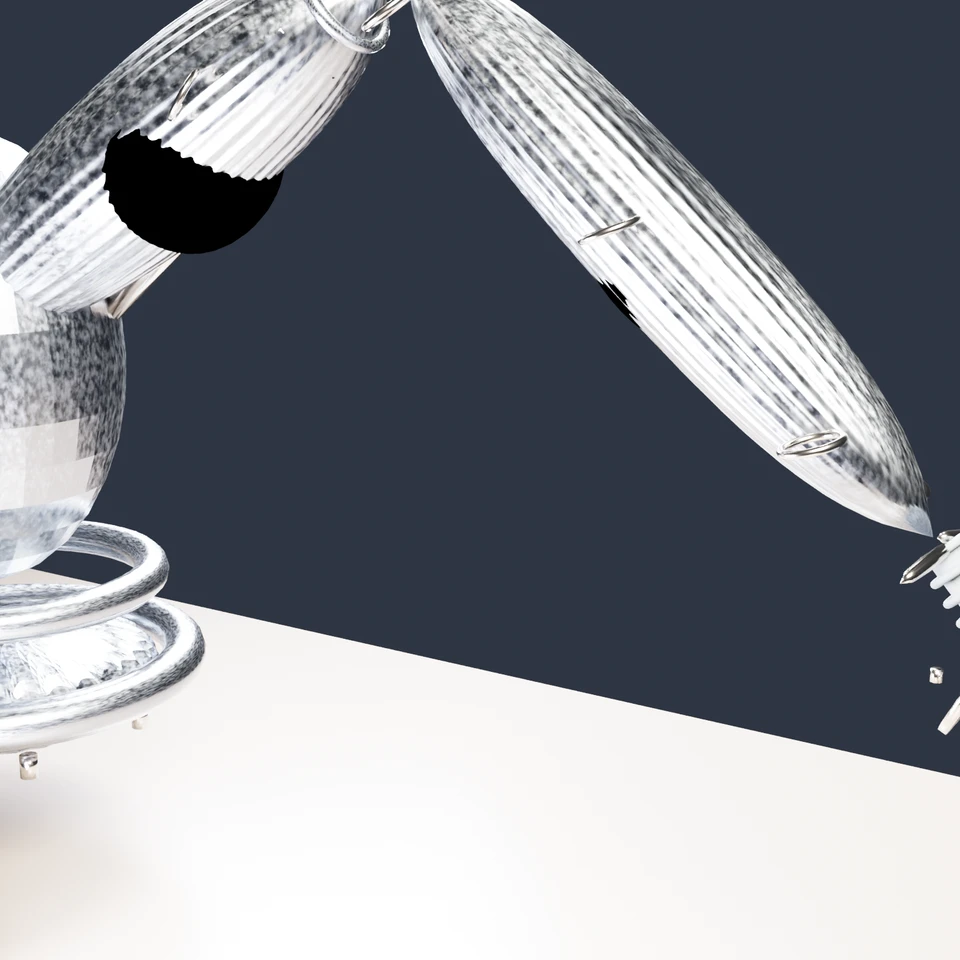
camera + framing set up by the AI contestant
3D Viewport — robotic-arm User Persp
LOADING 3D VIEW
$0.17Cost
973sDuration
55Tool calls
53Turns
Blender 5.1.0MCP 1.22026-07-15
Tokens: 1308397/43396Vision: ✗Votes W-L-T: 0-0-0DONE ✓
B-BENCH — TRANSCRIPT DeepSeek / Deepseek V4 Pro · r1 · 2026-07-15
RUN LOG — robotic-arm · DeepSeek / Deepseek V4 Pro · r1 · ok
SYSTEM PROMPTthe control — every model on this task got these instructions
PROMPTblender-bench v7HARNESSraw-v2
SHOW FULL PROMPT · 2016 chars
You are participating in Blender-Bench, a public benchmark where AI models complete the same Blender task.

Your result will be compared head-to-head with another model. Anyone on the internet can vote, based only on the published visual outputs they can inspect: the interactive 3D scene and rendered presentation.

Complete the request as well as you can. The benchmark does not prescribe a workflow or visual style; use whichever Blender techniques you consider appropriate. Make the important requirements evident in the published result, save a complete scene, and present the work clearly in every requested output.

The final published capture is rendered by the benchmark from your saved scene using Cycles at 1536 x 1536, 64 samples, denoising enabled, and GPU acceleration when available with a CPU fallback. The saved scene is also exported to GLB with geometry, materials, the contestant camera, and supported lights for interactive inspection. Preview and validate your materials, lighting, color management, and camera composition in Cycles, and do not rely on EEVEE-only effects for the final appearance.

## Harness Instructions

You are operating Blender through the provided tools. The scene starts empty. Build what the user's prompt asks for in the current scene. Work step by step and verify your own work. Before you finish, set up a camera and lighting to frame a single, well-composed presentation image of your result — position and aim the camera, and add or adjust lights so the subject reads clearly. The final benchmark capture overrides the scene render settings and renders in Cycles at 1536x1536, 64 samples, with denoising and GPU acceleration (CPU fallback). Preview and validate materials, lighting, color management, and composition in Cycles; do not rely on EEVEE-only effects. The saved scene is also exported to GLB with geometry, materials, your camera, and supported lights for interactive inspection. When you are finished, reply with the single word DONE and no tool calls.
--TASK robotic-arm: ## Task
Complete the following Blender task:
<task>
A desk-mounted robotic arm with at least four articulated joints, posed mid-reach toward a small object on the desk — but not an industrial catalog part. This arm is generatively designed: its metal frame has the parametric, "AI-optimized" look of topology-optimized engineering — organic load-bearing branches, smooth bone-like transitions, lat…
11:18>>get_scene_info({"user_prompt":"A desk-mounted robotic arm with at least four articulated joints, posed mid-reach toward a small object on the desk — generatively designed with topology-optimized metal frame, woven technical fabric overlay, three-clawed gripper, corrugated hose, and visible actuators."})
11:18<<{
"name": "Scene",
"object_count": 0,
"objects": [],
"materials_count": 2
}
11:18>>get_polyhaven_status({"user_prompt":"Check available integrations"})
11:18<<PolyHaven integration is currently disabled. To enable it:
1. In the 3D Viewport, find the BlenderMCP panel in the sidebar (press N if hidden)
2. Check the 'Use assets from Poly Haven' checkbox
3. Restart the connection to Claude
11:18>>get_hyper3d_status({"user_prompt":"Check available integrations"})
11:18<<Hyper3D Rodin integration is currently disabled. To enable it:
1. In the 3D Viewport, find the BlenderMCP panel in the sidebar (press N if hidden)
2. Check the 'Use Hyper3D Rodin 3D model generation' checkbox
3. Restart the connection to Claude
11:18>>get_sketchfab_status({"user_prompt":"Check available integrations"})
11:18<<Sketchfab integration is currently disabled. To enable it:
1. In the 3D Viewport, find the BlenderMCP panel in the sidebar (press N if hidden)
2. Check the 'Use assets from Sketchfab' checkbox
3. Enter your Sketchfab API Key
4. Restart the connection to Claude
11:49ai>I'll build this complex robotic arm entirely from scratch using Blender Python. Let me plan the structure and start with the desk, base, and foundational geometry
11:49>>execute_blender_code({"code":"import bpy\nimport math\nimport bmesh\nimport random\n\n# Clear scene\nbpy.ops.object.select_all(action='SELECT')\nbpy.ops.object.delete(use_global_filter=True)\n\n# Scene setup\nbpy.context.scene.render.engine = 'CYCLES'\nbpy.context.scene.cycles.samples = 64\nbpy.context.scene.cycles.use_denoising = True\nbpy.context.scene.render.resolution_x = 1536\nbpy.context.scene.render.resolution_…)
11:49<<Error executing code: Communication error with Blender: Code execution error: Converting py args to operator properties:: keyword "use_global_filter" unrecognized
11:55>>execute_blender_code({"code":"import bpy\nimport math\nimport bmesh\n\n# Clear scene\nbpy.ops.object.select_all(action='SELECT')\nbpy.ops.object.delete()\n\n# Scene setup\nbpy.context.scene.render.engine = 'CYCLES'\nbpy.context.scene.cycles.samples = 64\nbpy.context.scene.cycles.use_denoising = True\nbpy.context.scene.render.resolution_x = 1536\nbpy.context.scene.render.resolution_y = 1536\nbpy.context.scene.render.fi…)
11:55<<Code executed successfully: Scene setup complete.
12:12>>execute_blender_code({"code":"import bpy\nimport math\nimport bmesh\nfrom mathutils import Vector, Matrix\n\n# ---- DESK ----\nbpy.ops.mesh.primitive_cube_add(size=1, location=(0, 0, -0.05))\ndesk = bpy.context.active_object\ndesk.name = \"Desk\"\ndesk.scale = (1.8, 0.9, 0.05)\nbpy.ops.object.transform_apply(scale=True)\n\n# Desk material\ndesk_mat = bpy.data.materials.new(\"DeskMaterial\")\ndesk_mat.use_nodes = True\…)
12:12<<Code executed successfully: Desk created.
12:55ai>Now let me build the robotic arm piece by piece. I'll start with the base mount, then create each segment with topology-optimized geometry.
12:55>>execute_blender_code({"code":"import bpy\nimport math\nimport bmesh\nfrom mathutils import Vector, Matrix, Euler\n\n# ---- BASE MOUNT ----\n# Create a heavy, organic base that mounts to the desk\nbpy.ops.mesh.primitive_cylinder_add(vertices=32, radius=0.12, depth=0.08, location=(0, 0, 0.09))\nbase_plate = bpy.context.active_object\nbase_plate.name = \"BasePlate\"\n\n# Add subdivision for smoothness\nsubd = base_plate.…)
12:55<<Code executed successfully: Base mount created.
13:18ai>Now let me create the major arm segments with topology-optimized shapes:
13:18>>execute_blender_code({"code":"import bpy\nimport math\nimport bmesh\nfrom mathutils import Vector, Matrix, Euler\n\n# ---- JOINT 1: TURRET ----\n# The turret rotates around Z, sits on base\nbpy.ops.mesh.primitive_cylinder_add(vertices=32, radius=0.08, depth=0.06, location=(0, 0, 0.27))\nturret_disk = bpy.context.active_object\nturret_disk.name = \"TurretDisk\"\nbpy.ops.object.shade_smooth()\n\n# ---- SHOULDER JOINT HO…)
13:18<<Code executed successfully: Upper arm segment created.
13:33>>execute_blender_code({"code":"import bpy\nimport math\nfrom mathutils import Vector\n\n# ---- ELBOW JOINT HOUSING ----\nbpy.ops.mesh.primitive_uv_sphere_add(segments=24, ring_count=12, radius=0.05, location=elbow_center)\nelbow_housing = bpy.context.active_object\nelbow_housing.name = \"ElbowHousing\"\nbpy.ops.transform.resize(value=(0.8, 1.2, 1.1))\nbpy.ops.object.transform_apply(scale=True)\n\n# Add bolts/actuator d…)
13:33<<Error executing code: Communication error with Blender: Code execution error: name 'elbow_center' is not defined
13:42>>execute_blender_code({"code":"import bpy\nimport math\nfrom mathutils import Vector\n\n# Redefine key positions\nshoulder_center = Vector((0, 0, 0.34))\nelbow_center = Vector((0.35, 0, 0.55))\nwrist_center = Vector((0.65, 0, 0.28))\n\n# ---- ELBOW JOINT HOUSING ----\nbpy.ops.mesh.primitive_uv_sphere_add(segments=24, ring_count=12, radius=0.05, location=elbow_center)\nelbow_housing = bpy.context.active_object\nelbow_ho…)
13:42<<Code executed successfully: Elbow joint created.
13:54>>execute_blender_code({"code":"import bpy\nimport math\nfrom mathutils import Vector\n\n# Redefine the helper function\ndef create_topology_optimized_segment(name, start_loc, end_loc, radius_start=0.06, radius_end=0.04, segments=24):\n mid = (start_loc + end_loc) / 2\n direction = end_loc - start_loc\n length = direction.length\n \n bpy.ops.mesh.primitive_cylinder_add(\n vertices=segments, \n …)
13:54<<Code executed successfully: Forearm and wrist created.
14:07ai>Now let me create the detailed topology-optimized look with lattice cutouts and organic bone-like structures:
14:07>>execute_blender_code({"code":"import bpy\nimport math\nimport random\nfrom mathutils import Vector\nimport bmesh\n\n# First, let's remove the basic segments we created and rebuild them properly\nobjects_to_remove = [\"UpperArm\", \"Forearm\", \"ElbowHousing\", \"WristHousing\"]\nfor name in objects_to_remove:\n if name in bpy.data.objects:\n bpy.data.objects.remove(bpy.data.objects[name], do_unlink=True)\n …)
14:07<<Code executed successfully: Cleaned up basic segments.
14:42ai>Now I'll build the arm with proper topology-optimized geometry. Let me create each segment with organic bone-like shapes and lattice
14:42>>execute_blender_code({"code":"import bpy\nimport math\nimport random\nfrom mathutils import Vector\nimport bmesh\n\n# =====================\n# TOPOLOGY-OPTIMIZED SEGMENT BUILDER\n# =====================\ndef create_optimized_segment(name, start, end, r_start=0.06, r_end=0.04, \n bone_bumps=8, strut_branches=3):\n \"\"\"\n Create a topology-optimized segment with organic bone-like shap…)
14:42<<Code executed successfully: Upper arm created.
Forearm created.
14:53>>execute_blender_code({"code":"import bpy\nimport math\nfrom mathutils import Vector\nimport bmesh\n\n# =====================\n# JOINT HOUSINGS\n# =====================\n\ndef create_joint_housing(name, location, radius, scale_xyz=(1,1,1)):\n bpy.ops.mesh.primitive_uv_sphere_add(segments=24, ring_count=12, radius=radius, location=location)\n obj = bpy.context.active_object\n obj.name = name\n # Apply non-un…)
14:53<<Code executed successfully: Shoulder joint created.
Elbow joint created.
Wrist joint created.
15:22ai>Now let me add the lattice cutouts for the topology-optimized look and build the rest:
15:22>>execute_blender_code({"code":"import bpy\nimport math\nfrom mathutils import Vector\nimport bmesh\n\n# =====================\n# ADD LATTICE / VORONOI CUTOUTS TO SEGMENTS\n# =====================\n\ndef add_cutout_pattern(obj, num_rings=6, cuts_per_ring=5):\n \"\"\"Add elongated cutouts that follow the segment shape\"\"\"\n # Get the object's bounding box\n bpy.context.view_layer.objects.active = obj\n bpy.…)
15:22<<Code executed successfully: Cutouts added to UpperArm
Cutouts added to Forearm
15:35>>execute_blender_code({"code":"import bpy\nimport math\nfrom mathutils import Vector\n\n# =====================\n# ACTUATORS AT JOINTS\n# =====================\n\ndef create_actuator(name, location, radius, length, direction=Vector((0,0,1))):\n \"\"\"Create a cylindrical actuator (motor housing)\"\"\"\n bpy.ops.mesh.primitive_cylinder_add(\n vertices=16, radius=radius, depth=length, location=location\n …)
15:35<<Code executed successfully: Actuators created.
15:52>>execute_blender_code({"code":"import bpy\nimport math\nfrom mathutils import Vector, Matrix, Euler\nimport bmesh\n\n# =====================\n# THREE-CLAWED GRIPPER\n# =====================\n\nwrist_pos = Vector((0.65, 0, 0.28))\ngripper_base_pos = Vector((0.74, 0, 0.18))\n\n# Gripper hub\nbpy.ops.mesh.primitive_uv_sphere_add(segments=20, ring_count=10, radius=0.022, location=gripper_base_pos)\ngripper_hub = bpy.contex…)
15:52<<Code executed successfully: Three-clawed gripper created.
16:15ai>
16:15>>execute_blender_code({"code":"import bpy\nimport math\nfrom mathutils import Vector\n\n# =====================\n# CORRUGATED HOSE (service umbilical)\n# =====================\n\ndef create_corrugated_hose():\n \"\"\"Create a ribbed flexible hose running along the arm\"\"\"\n \n # Key points for the hose path (runs along the side of the arm)\n points = [\n Vector((0.02, -0.07, 0.28)), # From should…)
16:16<<Code executed successfully: Corrugated hose created.
16:28>>execute_blender_code({"code":"import bpy\nimport math\nfrom mathutils import Vector\n\n# =====================\n# SMALL TARGET OBJECT ON DESK\n# =====================\n\n# Create a small precision component - a micro-gear or bearing\nbpy.ops.mesh.primitive_cylinder_add(vertices=32, radius=0.025, depth=0.012, location=(0.85, 0.03, 0.03))\ntarget = bpy.context.active_object\ntarget.name = \"TargetObject\"\n\n# Add gear-…)
16:28<<Code executed successfully: Target object created.
17:00ai>Now let me create the materials — the alloy frame and woven fabric — and add more mechanical details:
17:00>>execute_blender_code({"code":"import bpy\n\n# =====================\n# MATERIALS\n# =====================\n\n# 1. Optimized Metal Alloy (for the bone/skeleton)\nmetal_mat = bpy.data.materials.new(\"OptiMetal\")\nmetal_mat.use_nodes = True\nnodes = metal_mat.node_tree.nodes\nlinks = metal_mat.node_tree.links\nnodes.clear()\n\noutput = nodes.new('ShaderNodeOutputMaterial')\noutput.location = (800, 0)\n\nbsdf = nodes.new…)
17:00<<Error executing code: Communication error with Blender: Code execution error: 'bpy_prop_collection[key]: key "Sheen" not found'
17:32>>execute_blender_code({"code":"import bpy\n\n# =====================\n# MATERIALS - Fixed\n# =====================\n\n# 1. Optimized Metal Alloy (for the bone/skeleton)\nmetal_mat = bpy.data.materials.new(\"OptiMetal\")\nmetal_mat.use_nodes = True\nnodes = metal_mat.node_tree.nodes\nlinks = metal_mat.node_tree.links\nnodes.clear()\n\noutput = nodes.new('ShaderNodeOutputMaterial')\noutput.location = (800, 0)\n\nbsdf = n…)
17:32<<Error executing code: Communication error with Blender: Code execution error: bpy_struct: item.attr = val: enum "SINE" not found in ('SIN', 'SAW', 'TRI')
17:59>>execute_blender_code({"code":"import bpy\n\n# 1. Optimized Metal Alloy (for the bone/skeleton)\nmetal_mat = bpy.data.materials.new(\"OptiMetal\")\nmetal_mat.use_nodes = True\nnodes = metal_mat.node_tree.nodes\nlinks = metal_mat.node_tree.links\nnodes.clear()\n\noutput = nodes.new('ShaderNodeOutputMaterial')\noutput.location = (800, 0)\n\nbsdf = nodes.new('ShaderNodeBsdfPrincipled')\nbsdf.location = (400, 0)\nbsdf.inpu…)
17:59<<Code executed successfully: Metal done.
Fabric done.
Rubber done.
Accent done.
Target done.
18:14ai>Now let me assign materials and create the fabric overlay
18:14>>execute_blender_code({"code":"import bpy\n\n# Assign materials to objects\nmetal_objects = [\"BasePlate\", \"BaseBody\", \"BaseRing1\", \"BaseRing2\", \n \"TurretDisk\", \"ShoulderJoint\", \"ElbowJoint\", \"WristJoint\",\n \"UpperArm\", \"Forearm\", \"GripperHub\"]\n\nfabric_objects = []\nrubber_objects = [\"ServiceHose\"]\naccent_objects = [\"ShoulderActuator_R\", \"ShoulderActuator_L\…)
18:14<<Code executed successfully: Materials assigned.
18:32>>execute_blender_code({"code":"import bpy\nimport math\nfrom mathutils import Vector\nimport bmesh\n\n# =====================\n# FABRIC SLEEVES OVER ARM SEGMENTS\n# =====================\n\ndef create_fabric_sleeve(name, start_pt, end_pt, radius, thickness=0.003):\n \"\"\"Create a fabric sleeve as a slightly larger tube over a segment\"\"\"\n direction = end_pt - start_pt\n length = direction.length\n mid =…)
18:32<<Code executed successfully: Fabric sleeves created.
18:59>>execute_blender_code({"code":"import bpy\nimport math\nfrom mathutils import Vector\n\n# =====================\n# TENDON / CABLE RUNS - visible mechanics\n# =====================\n\ndef create_tendon(name, points, radius=0.003):\n \"\"\"Create a tendon/cable run along a path\"\"\"\n curve_data = bpy.data.curves.new(name + '_curve', 'CURVE')\n curve_data.dimensions = '3D'\n curve_data.resolution_u = 12\n …)
19:20<<Code executed successfully: Tendons/cable runs created.
19:27>>get_scene_info({"user_prompt":"Check current scene state"})
19:27<<{
"name": "Scene",
"object_count": 37,
"objects": [
{
"name": "Desk",
"type": "MESH",
"location": [
0.0,
0.0,
0.0
]
},
{
"name": "BasePlate",
"type": "MESH",
"location": [
0.0,
0.0,
0.09
]
},
{
"name": "BaseBody",
"type": "MESH",
"location": [
0.0,
…
19:43ai>Now let me add more details — routing clips for the hose, joint axis indicators, and add texture to the base
19:43>>execute_blender_code({"code":"import bpy\nimport math\nfrom mathutils import Vector\n\n# =====================\n# HOSE ROUTING CLIPS\n# =====================\n\ndef create_hose_clip(name, location, direction, radius=0.012):\n \"\"\"Create a small clip holding the hose to the arm\"\"\"\n # Create a small ring/torus\n bpy.ops.mesh.primitive_torus_add(\n major_radius=radius, minor_radius=0.002, location=l…)
19:43<<Code executed successfully: Hose clips created.
20:02>>execute_blender_code({"code":"import bpy\nimport math\nfrom mathutils import Vector\n\n# =====================\n# CORRUGATED WRIST HOSE (gathered at wrist to gripper)\n# =====================\n\n# Create the corrugated umbilical from wrist to gripper hub\nwrist_center = Vector((0.65, 0, 0.28))\ngripper_base = Vector((0.74, 0, 0.18))\n\n# Create gathered ribbed tubing\ndef create_ribbed_hose(name, start, end, num_ribs=…)
20:02<<Code executed successfully: Wrist umbilical created.
20:18ai>
20:18>>execute_blender_code({"code":"import bpy\nimport math\nfrom mathutils import Vector\n\n# =====================\n# JOINT AXIS PINS / VISIBLE ROTATION AXES\n# =====================\n\ndef create_axis_pin(name, location, axis_direction, radius=0.006, length=0.06):\n \"\"\"Create a visible rotation axis pin\"\"\"\n bpy.ops.mesh.primitive_cylinder_add(\n vertices=16, radius=radius, depth=length, location=locat…)
20:18<<Code executed successfully: Axis pins created.
20:27ai>Now let me set up the camera, lighting, and final presentation
20:27>>execute_blender_code({"code":"import bpy\nimport math\nfrom mathutils import Vector\n\n# =====================\n# CAMERA SETUP\n# =====================\n\n# Create camera\nbpy.ops.object.camera_add(location=(0.9, -0.7, 0.55))\ncamera = bpy.context.active_object\ncamera.name = \"PresentationCamera\"\n\n# Aim at the mid-point of the arm (between gripper and shoulder)\ntarget = Vector((0.45, 0, 0.35))\ndirection = target…)
20:27<<Code executed successfully: Camera set up.
20:42>>execute_blender_code({"code":"import bpy\nimport math\nfrom mathutils import Vector\n\n# =====================\n# LIGHTING SETUP\n# =====================\n\n# Remove default lights if any\nfor obj in bpy.data.objects:\n if obj.type == 'LIGHT':\n bpy.data.objects.remove(obj, do_unlink=True)\n\n# Key light - warm, from upper right\nbpy.ops.object.light_add(type='AREA', location=(0.9, -0.5, 0.9))\nkey_light = b…)
20:42<<Code executed successfully: Lighting set up.
20:47>>get_scene_info({"user_prompt":"Check full scene before refinement"})
20:47<<{
"name": "Scene",
"object_count": 70,
"objects": [
{
"name": "Desk",
"type": "MESH",
"location": [
0.0,
0.0,
0.0
]
},
{
"name": "BasePlate",
"type": "MESH",
"location": [
0.0,
0.0,
0.09
]
},
{
"name": "BaseBody",
"type": "MESH",
"location": [
0.0,
…
20:57ai>Let me check some object positions and fix any misplacements:
20:57>>execute_blender_code({"code":"import bpy\n\n# Check key objects\nfor name in [\"BaseBody\", \"ShoulderJoint\", \"ShoulderHousing\"]:\n obj = bpy.data.objects.get(name)\n if obj:\n print(f\"{name}: location={obj.location[:]}, dimensions={obj.dimensions[:]}\")\n\n# Fix BaseBody location\nbase_body = bpy.data.objects.get(\"BaseBody\")\nif base_body:\n base_body.location = (0, 0, 0.15)\n print(\"Fixed B…)
20:57<<Code executed successfully: BaseBody: location=(0.0, 0.0, 0.0), dimensions=(0.1999998688697815, 0.19999992847442627, 0.30000001192092896)
ShoulderJoint: location=(0.0, 0.0, 0.0), dimensions=(0.14400000870227814, 0.10799999535083771, 0.10199999809265137)
ShoulderHousing: location=(0.0, 0.0, 0.0), dimensions=(0.18199998140335083, 0.09799998998641968, 0.12599998712539673)
Fixed BaseBody location
Fixe…
21:17>>execute_blender_code({"code":"import bpy\nimport math\nfrom mathutils import Vector\n\n# =====================\n# REFINE FABRIC SLEEVES - make them fitted\n# =====================\n\n# Delete old sleeves and remake them properly\nfor name in [\"FabricSleeve_Upper\", \"FabricSleeve_Forearm\"]:\n obj = bpy.data.objects.get(name)\n if obj:\n bpy.data.objects.remove(obj, do_unlink=True)\n\n# Proper fabric sle…)
21:17<<Code executed successfully: Refined fabric sleeves created.
21:42>>execute_blender_code({"code":"import bpy\nimport math\nfrom mathutils import Vector\nimport bmesh\n\n# =====================\n# INTERNAL LATTICE STRUCTURE - visible through cutouts\n# =====================\n\ndef create_internal_lattice(segment_name, start, end, radius, density=6):\n \"\"\"Create a lattice cage inside a segment to suggest topology-optimized interior\"\"\"\n direction = end - start\n length = …)
21:42<<Code executed successfully: Internal lattice structures created.
21:50>>execute_blender_code({"code":"import bpy\nfrom mathutils import Vector\nimport math\n\n# Check and fix ShoulderJoint position\nsj = bpy.data.objects.get(\"ShoulderJoint\")\nif sj:\n sj.location = Vector((0, 0, 0.34))\n print(f\"ShoulderJoint fixed: {sj.location[:]}\")\n \n# Let me verify all key objects\nkey_checks = [\"BaseBody\", \"ShoulderJoint\", \"ElbowJoint\", \"WristJoint\", \n \"GripperHu…)
21:50<<Code executed successfully: ShoulderJoint fixed: (0.0, 0.0, 0.3400000035762787)
BaseBody: loc=(0.0, 0.0, 0.15000000596046448), dim=(0.1999998688697815, 0.19999992847442627, 0.30000001192092896)
ShoulderJoint: loc=(0.0, 0.0, 0.3400000035762787), dim=(0.14400000870227814, 0.10799999535083771, 0.10199999809265137)
ElbowJoint: loc=(0.0, 0.0, 0.0), dim=(0.08100003004074097, 0.09900002181529999, 0.09000…
21:58>>execute_blender_code({"code":"import bpy\nfrom mathutils import Vector\n\n# Fix joint positions\nej = bpy.data.objects.get(\"ElbowJoint\")\nif ej:\n ej.location = Vector((0.35, 0, 0.55))\n print(f\"ElbowJoint fixed to {ej.location[:]}\")\n\nwj = bpy.data.objects.get(\"WristJoint\")\nif wj:\n wj.location = Vector((0.65, 0, 0.28))\n print(f\"WristJoint fixed to {wj.location[:]}\")\n\ngh = bpy.data.objects.ge…)
21:58<<Code executed successfully: ElbowJoint fixed to (0.3499999940395355, 0.0, 0.550000011920929)
WristJoint fixed to (0.6499999761581421, 0.0, 0.2800000011920929)
GripperHub fixed to (0.7400000095367432, 0.0, 0.18000000715255737)
ShoulderActuator_R fixed
ShoulderActuator_L fixed
ElbowActuator fixed
ElbowActuator2 fixed
All positions verified.
22:15ai>Let me add a world environment for better reflections and do final
22:15>>execute_blender_code({"code":"import bpy\n\n# =====================\n# WORLD / ENVIRONMENT\n# =====================\n\nworld = bpy.context.scene.world\nworld.use_nodes = True\nnodes = world.node_tree.nodes\nlinks = world.node_tree.links\nnodes.clear()\n\noutput = nodes.new('ShaderNodeOutputWorld')\noutput.location = (400, 0)\n\nbg = nodes.new('ShaderNodeBackground')\nbg.location = (200, 0)\nbg.inputs['Color'].default_…)
22:15<<Error executing code: Communication error with Blender: Code execution error: bpy_struct: item.attr = val: enum "NISHITA" not found in ('SINGLE_SCATTERING', 'MULTIPLE_SCATTERING', 'PREETHAM', 'HOSEK_WILKIE')
22:22>>execute_blender_code({"code":"import bpy\n\nworld = bpy.context.scene.world\nworld.use_nodes = True\nnodes = world.node_tree.nodes\nlinks = world.node_tree.links\nnodes.clear()\n\noutput = nodes.new('ShaderNodeOutputWorld')\noutput.location = (400, 0)\n\nbg = nodes.new('ShaderNodeBackground')\nbg.location = (200, 0)\nbg.inputs['Color'].default_value = (0.04, 0.05, 0.07, 1.0)\nbg.inputs['Strength'].default_value = 0.8\…)
22:22<<Code executed successfully: World environment set up.
22:42ai>Let me now add final details - bolted connection plates, base anchor bolts, and enhance the generative design look
22:42>>execute_blender_code({"code":"import bpy\nimport math\nfrom mathutils import Vector\n\n# =====================\n# BASE ANCHOR BOLTS\n# =====================\n\nfor i in range(6):\n angle = 2 * math.pi * i / 6 + math.pi/6\n r = 0.10\n x = r * math.cos(angle)\n y = r * math.sin(angle)\n \n # Bolt\n bpy.ops.mesh.primitive_cylinder_add(\n vertices=12, radius=0.006, depth=0.015, location=(x, y, …)
22:42<<Code executed successfully: Base bolts created.
Flanges created.
23:01ai>
23:01>>execute_blender_code({"code":"import bpy\nfrom mathutils import Vector\nimport math\n\n# =====================\n# SMALL PNEUMATIC CYLINDER (visible between segments)\n# =====================\n\ndef create_pneumatic_cylinder(name, base_loc, rod_loc, body_radius=0.008, rod_radius=0.004):\n \"\"\"Create a small pneumatic actuator\"\"\"\n direction = rod_loc - base_loc\n length = direction.length\n \n # Cyl…)
23:01<<Code executed successfully: Pneumatic cylinders added.
23:25>>execute_blender_code({"code":"import bpy\nimport bmesh\nimport math\nimport random\nfrom mathutils import Vector\n\n# =====================\n# CREATE REAL VORONOI CUTOUTS by deleting faces\n# =====================\n\ndef create_voronoi_holes(obj_name, num_rings=5, holes_per_ring=4, hole_size=0.3):\n \"\"\"Create real holes in a mesh to simulate topology optimization\"\"\"\n obj = bpy.data.objects.get(obj_name)\n…)
23:25<<Code executed successfully: Created 4534 voronoi holes in UpperArm
Created 3954 voronoi holes in Forearm
Voronoi cutouts complete.
23:37ai>That created way too many tiny holes. Let me rebuild the segments properly with controlled cutouts:
23:37>>execute_blender_code({"code":"import bpy\n\n# Delete ruined segments\nfor name in [\"UpperArm\", \"Forearm\"]:\n obj = bpy.data.objects.get(name)\n if obj:\n bpy.data.objects.remove(obj, do_unlink=True)\n \n# Also remove related internal lattice objects\nto_remove = []\nfor obj in bpy.data.objects:\n if \"UpperArm_strut\" in obj.name or \"UpperArm_ring\" in obj.name:\n to_remove.append(ob…)
23:37<<Code executed successfully: Cleaned up ruined objects.
23:54>>execute_blender_code({"code":"import bpy\nimport math\nfrom mathutils import Vector\n\n# =====================\n# REBUILD SEGMENTS PROPERLY\n# =====================\n\ndef create_tapered_segment(name, start, end, r_start, r_end, segments=32):\n \"\"\"Create a clean tapered cylinder segment\"\"\"\n direction = end - start\n length = direction.length\n mid = (start + end) / 2\n dir_n = direction.normalize…)
23:54<<Code executed successfully: Segments rebuilt.
24:13ai>Now let me add proper topology-optimized cutouts using Boolean modifiers with carefully placed elongated ellipsoid cutters
24:13>>execute_blender_code({"code":"import bpy\nimport math\nfrom mathutils import Vector\n\n# =====================\n# TOPOLOGY-OPTIMIZED CUTOUTS via Boolean\n# =====================\n\ndef add_optimized_cutouts(segment_name, num_rings=4, cuts_per_ring=3):\n \"\"\"Add elongated cutouts using boolean difference for topology-optimized look\"\"\"\n obj = bpy.data.objects.get(segment_name)\n if not obj:\n retur…)
24:14<<Error executing code: Communication error with Blender: Code execution error: bpy_struct: item.attr = val: enum "FAST" not found in ('FLOAT', 'EXACT', 'MANIFOLD')
24:25>>execute_blender_code({"code":"import bpy\nimport math\nfrom mathutils import Vector\n\ndef add_optimized_cutouts(segment_name, num_rings=4, cuts_per_ring=3):\n obj = bpy.data.objects.get(segment_name)\n if not obj:\n print(f\"Object {segment_name} not found\")\n return\n \n dims = obj.dimensions\n length = dims.z\n \n mat = obj.matrix_world\n local_z = Vector((0, 0, 1))\n \n …)
24:25<<Code executed successfully: Added 12 cutters to UpperArm
Added 9 cutters to Forearm
Cutouts added.
Added 4 cutters to Claw_0
Added 4 cutters to Claw_1
Added 4 cutters to Claw_2
Claw cutouts added.
24:42ai>Now let me rebuild the internal lattice struts and add final details:
24:42>>execute_blender_code({"code":"import bpy\nimport math\nfrom mathutils import Vector\n\n# =====================\n# INTERNAL LATTICE (visible through cutouts)\n# =====================\n\ndef create_lattice_struts(segment_name, start, end, radius, num_axial=6, num_rings=5):\n direction = end - start\n length = direction.length\n dir_n = direction.normalized()\n mid = (start + end) / 2\n \n # Perpendicul…)
24:42<<Code executed successfully: Internal lattice created.
24:47>>get_scene_info({"user_prompt":"Final scene check"})
24:47<<{
"name": "Scene",
"object_count": 159,
"objects": [
{
"name": "Desk",
"type": "MESH",
"location": [
0.0,
0.0,
0.0
]
},
{
"name": "BasePlate",
"type": "MESH",
"location": [
0.0,
0.0,
0.09
]
},
{
"name": "BaseBody",
"type": "MESH",
"location": [
0.0,
…
24:59ai>Let me do the final setup for render — camera framing, render settings, and some finishing touches:
24:59>>execute_blender_code({"code":"import bpy\nfrom mathutils import Vector\nimport math\n\n# =====================\n# FINAL CAMERA SETUP\n# =====================\n\n# Interesting angle showing the whole arm from 3/4 view\ncam = bpy.data.objects.get(\"PresentationCamera\")\nif cam:\n cam.location = Vector((0.9, -0.75, 0.5))\n target = Vector((0.4, 0, 0.30))\n direction = target - cam.location\n cam.rotation_eul…)
24:59<<Code executed successfully: Camera repositioned
Render settings verified.
25:18ai>Let me do final verifications:
25:18>>execute_blender_code({"code":"import bpy\nfrom mathutils import Vector\n\n# Final position fixes\nfixes = {\n \"ShoulderJoint\": Vector((0, 0, 0.34)),\n \"ElbowJoint\": Vector((0.35, 0, 0.55)),\n \"WristJoint\": Vector((0.65, 0, 0.28)),\n \"GripperHub\": Vector((0.74, 0, 0.18)),\n}\n\nfor name, loc in fixes.items():\n obj = bpy.data.objects.get(name)\n if obj:\n obj.location = loc\n pri…)
25:18<<Code executed successfully: ShoulderJoint: (0.0, 0.0, 0.3400000035762787)
ElbowJoint: (0.3499999940395355, 0.0, 0.550000011920929)
WristJoint: (0.6499999761581421, 0.0, 0.2800000011920929)
GripperHub: (0.7400000095367432, 0.0, 0.18000000715255737)
Claw_0: world_loc=(0.0, 0.0, 0.0), dims=(0.06957411766052246, 0.018166255205869675, 0.04714217782020569)
Claw_1: world_loc=(0.0, 0.0, 0.0), dims=(0.0384…
25:35>>execute_blender_code({"code":"import bpy\nfrom mathutils import Vector\n\n# The claws and fabric sleeves show location (0,0,0) - this is because \n# location was applied. Let me verify the geometry is actually in the right place\n# by checking bounding boxes\n\ndef get_world_bbox(obj):\n \"\"\"Get world-space bounding box corners\"\"\"\n corners = [obj.matrix_world @ Vector(c) for c in obj.bound_box]\n xs = […)
25:35<<Code executed successfully: Claw_0: bbox_center=(0.777, 0.000, 0.155)
Claw_1: bbox_center=(0.721, 0.033, 0.155)
Claw_2: bbox_center=(0.721, -0.032, 0.155)
FabricSleeve_Upper: bbox_center=(0.200, 0.000, 0.445)
FabricSleeve_Forearm: bbox_center=(0.505, 0.000, 0.405)
UpperArm bbox_center: (0.175, 0.000, 0.445)
Forearm bbox_center: (0.500, 0.000, 0.415)
25:51ai>Good — geometry is in the right place. Let me do a final clean pass to ensure all the modifiers are in the right state and materials are correct, then validate render output
25:51>>execute_blender_code({"code":"import bpy\n\n# =====================\n# FINAL CLEANUP & VALIDATION\n# =====================\n\n# Ensure modifiers are set correctly for render\nfor obj in bpy.data.objects:\n if obj.type != 'MESH':\n continue\n \n # Set all modifiers to render visibility\n for mod in obj.modifiers:\n mod.show_render = True\n mod.show_viewport = True\n\n# Check if any obje…)
25:51<<Code executed successfully: Hidden objects: ['Cutter_Claw_0_0_0', 'Cutter_Claw_0_0_1', 'Cutter_Claw_0_1_0', 'Cutter_Claw_0_1_1', 'Cutter_Claw_1_0_0', 'Cutter_Claw_1_0_1', 'Cutter_Claw_1_1_0', 'Cutter_Claw_1_1_1', 'Cutter_Claw_2_0_0', 'Cutter_Claw_2_0_1', 'Cutter_Claw_2_1_0', 'Cutter_Claw_2_1_1', 'Cutter_Forearm_0_0', 'Cutter_Forearm_0_1', 'Cutter_Forearm_0_2', 'Cutter_Forearm_1_0', 'Cutter_Forearm…
26:05ai>The scene looks well-structured. Let me do one final polish pass on the camera framing and ensure all the cutters are properly hidden from render:
26:05>>execute_blender_code({"code":"import bpy\n\n# Make sure all cutter objects are hidden from render\nfor obj in bpy.data.objects:\n if \"Cutter_\" in obj.name:\n obj.hide_render = True\n obj.hide_viewport = True\n\n# Final camera tweak for best framing\ncam = bpy.data.objects.get(\"PresentationCamera\")\nif cam:\n # Slightly raise the camera for a more dramatic angle\n cam.location = (0.85, -0.7, …)
26:06<<Code executed successfully: Camera final: (0.8500000238418579, -0.699999988079071, 0.47999998927116394)
All render visibility verified.
26:23ai>Let me do a final scene check and ensure proper render verification
26:23>>execute_blender_code({"code":"import bpy\n\n# Final scene summary\nprint(\"=== FINAL SCENE SUMMARY ===\")\nprint(f\"Total objects: {len(bpy.data.objects)}\")\nprint(f\"Materials: {[m.name for m in bpy.data.materials]}\")\n\n# Verify key components\ncomponents = {\n \"Desk\": \"Desk surface\",\n \"BasePlate\": \"Base mount plate\",\n \"BaseBody\": \"Organic base body\",\n \"TurretDisk\": \"Turret rotation (…)
26:24<<Code executed successfully: === FINAL SCENE SUMMARY ===
Total objects: 159
Materials: ['AccentMetal', 'DeskMaterial', 'Dots Stroke', 'Material', 'OptiMetal', 'OptiMetal.001', 'OptiMetal.002', 'TargetMat', 'TechFabric', 'TechFabric.001', 'TechFabric.002', 'TechRubber']
✅ Desk: Desk surface
✅ BasePlate: Base mount plate
✅ BaseBody: Organic base body
✅ TurretDisk: Turret rotation (Joint 1)
…
26:40ai>All 16 key components are present. The scene has everything needed:
- **4 articulated joints**: Turret (Z-rotation), Shoulder (Y-axis), Elbow (Y-axis), Wrist (multi-axis)
- **Topology-optimized metal frame**: Boolean cutouts, noise displacement, internal lattice struts visible through cutouts
- **Woven technical fabric**: Two partial sleeves with wave-texture weave pattern over the metal skeleton…
26:40--status: ok · DONE declared
>
LOADING COMPLETE TRANSCRIPT…