Render Window — hero
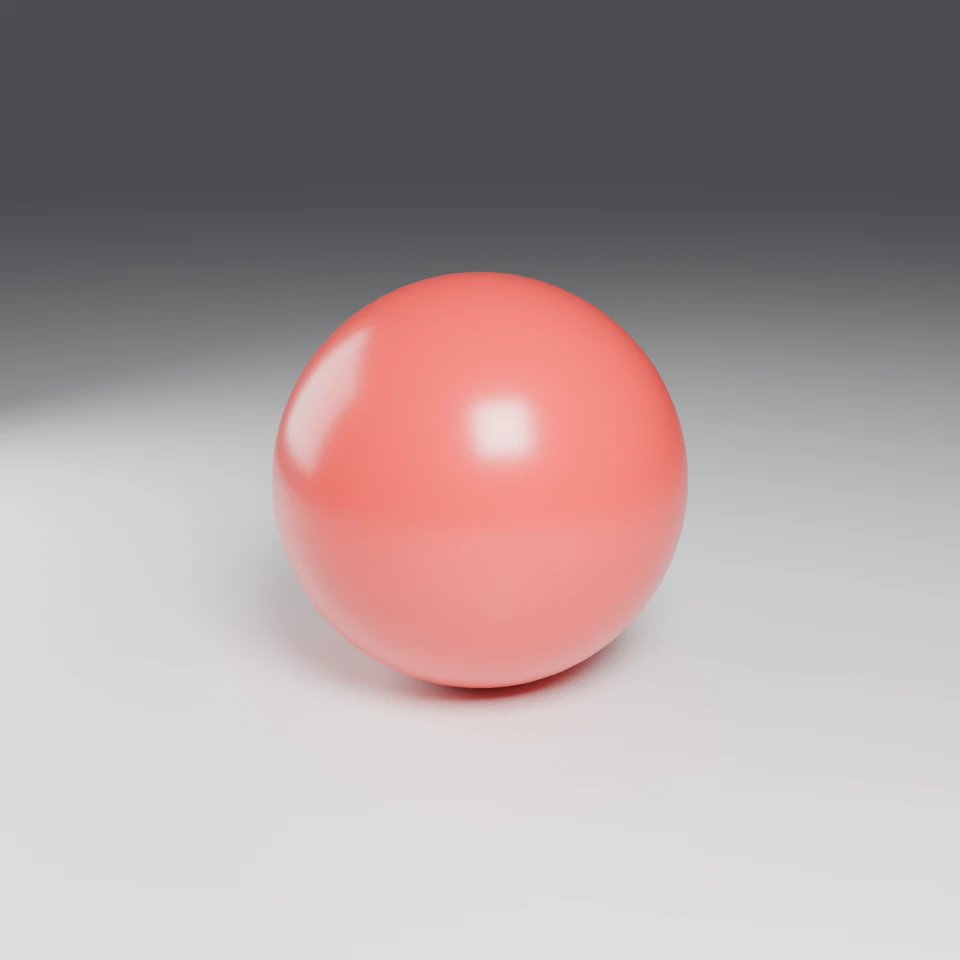
camera + framing set up by the AI contestant
3D Viewport — red-ball User Persp
LOADING 3D VIEW
$0.07Cost
74sDuration
8Tool calls
9Turns
Blender 5.1.0MCP 1.22026-07-15
Tokens: 92132/3652Vision: ✓Votes W-L-T: 0-0-0reasoning: effort highNO DONE
B-BENCH — TRANSCRIPT Anthropic / Sonnet 5 / thinking:high · r1 · 2026-07-15
RUN LOG — red-ball · Anthropic / Sonnet 5 / thinking:high · r1 · ok
SYSTEM PROMPTthe control — every model on this task got these instructions
PROMPTblender-bench v6HARNESSraw-v1
SHOW FULL PROMPT · 1104 chars
You are participating in Blender-Bench, a public benchmark where AI models complete the same Blender task.

Your result will be compared head-to-head with another model. Anyone on the internet can vote, based only on the published visual outputs they can inspect: the interactive 3D scene and rendered presentation.

Complete the request as well as you can. The benchmark does not prescribe a workflow or visual style; use whichever Blender techniques you consider appropriate. Make the important requirements evident in the published result, save a complete scene, and present the work clearly in every requested output.

## Harness Instructions

You are operating Blender through the provided tools. The scene starts empty. Build what the user's prompt asks for in the current scene. Work step by step and verify your own work. Before you finish, set up a camera and lighting to frame a single, well-composed presentation image of your result — position and aim the camera, and add or adjust lights so the subject reads clearly. When you are finished, reply with the single word DONE and no tool calls.
--TASK red-ball: ## Task
Complete the following Blender task:
<task>
A red sphere of 1 meter diameter resting on a white ground plane — touching it
exactly, neither floating nor sunk. Smooth shading, a plain red material on the
ball, plain white on the floor.
The floor is the sphere, the color, and the contact. The ceiling is presentation:
a soft believable shadow under the ball, a hint of glossiness that catc…
06:07>>execute_blender_code({"code":"\nimport bpy\n\n# Clear existing scene objects\nbpy.ops.object.select_all(action='SELECT')\nbpy.ops.object.delete(use_global=False)\n\n# Clear orphan data\nfor block in list(bpy.data.meshes):\n if block.users == 0:\n bpy.data.meshes.remove(block)\nfor block in list(bpy.data.materials):\n if block.users == 0:\n bpy.data.materials.remove(block)\n\n# Create ground plane\n…)
06:08<<Code executed successfully: Plane and sphere created
06:17>>execute_blender_code({"code":"\nimport bpy, math\n\n# Camera\nbpy.ops.object.camera_add(location=(2.2, -2.2, 1.4))\ncam = bpy.context.active_object\ncam.name = \"Camera\"\n# Point camera at the sphere center (0,0,0.5)\ndirection = (0 - cam.location.x, 0 - cam.location.y, 0.5 - cam.location.z)\nimport mathutils\ncam_loc = mathutils.Vector(cam.location)\ntarget = mathutils.Vector((0,0,0.5))\ndirection = target - cam_loc…)
06:17<<Code executed successfully: Camera and lights set up
06:21>>get_viewport_screenshot({"max_size":1000,"user_prompt":"Check current scene setup"})
06:22<<
06:22imgimage delivered — get_viewport_screenshot
06:28>>execute_blender_code({"code":"\nimport bpy\n\n# Switch viewport shading to material preview for verification\nfor area in bpy.context.screen.areas:\n if area.type == 'VIEW_3D':\n for space in area.spaces:\n if space.type == 'VIEW_3D':\n space.shading.type = 'MATERIAL'\n\nprint(\"Switched to material preview\")\n","user_prompt":"Switch viewport to material preview"})
06:28<<Code executed successfully: Switched to material preview
06:31>>get_viewport_screenshot({"max_size":1000,"user_prompt":"Check material preview"})
06:33<<
06:33imgimage delivered — get_viewport_screenshot
06:43ai>Good, the sphere and material are looking correct. Now let me set up the render engine (Cycles for better shadows/glossiness), verify camera framing, and render a preview.
06:43>>execute_blender_code({"code":"\nimport bpy\n\nscene = bpy.context.scene\nscene.render.engine = 'CYCLES'\nscene.cycles.samples = 128\nscene.render.resolution_x = 1280\nscene.render.resolution_y = 960\n\n# Enable denoising\nscene.cycles.use_denoising = True\n\n# Set camera as active for view\nbpy.context.scene.camera = bpy.data.objects[\"Camera\"]\n\n# Switch viewport to camera view\nfor area in bpy.context.screen.areas…)
06:43<<Code executed successfully: Render settings configured
06:46>>get_viewport_screenshot({"max_size":1000,"user_prompt":"Check camera framing"})
06:47<<
06:47imgimage delivered — get_viewport_screenshot
06:58>>execute_blender_code({"code":"\nimport bpy\n\n# Enlarge the ground plane so horizon line is less prominent, and adjust camera slightly\nplane = bpy.data.objects[\"GroundPlane\"]\nplane.scale = (3, 3, 1)\n\n# Adjust world background to a soft neutral grey-white gradient effect - just lighten a bit but keep contrast for clean edge\nworld = bpy.context.scene.world\nbg = world.node_tree.nodes[\"Background\"]\nbg.inputs[0]…)
06:58<<Code executed successfully: Plane enlarged, world updated
07:03--status: budget_exhausted
>
LOADING COMPLETE TRANSCRIPT…