Render Window — hero
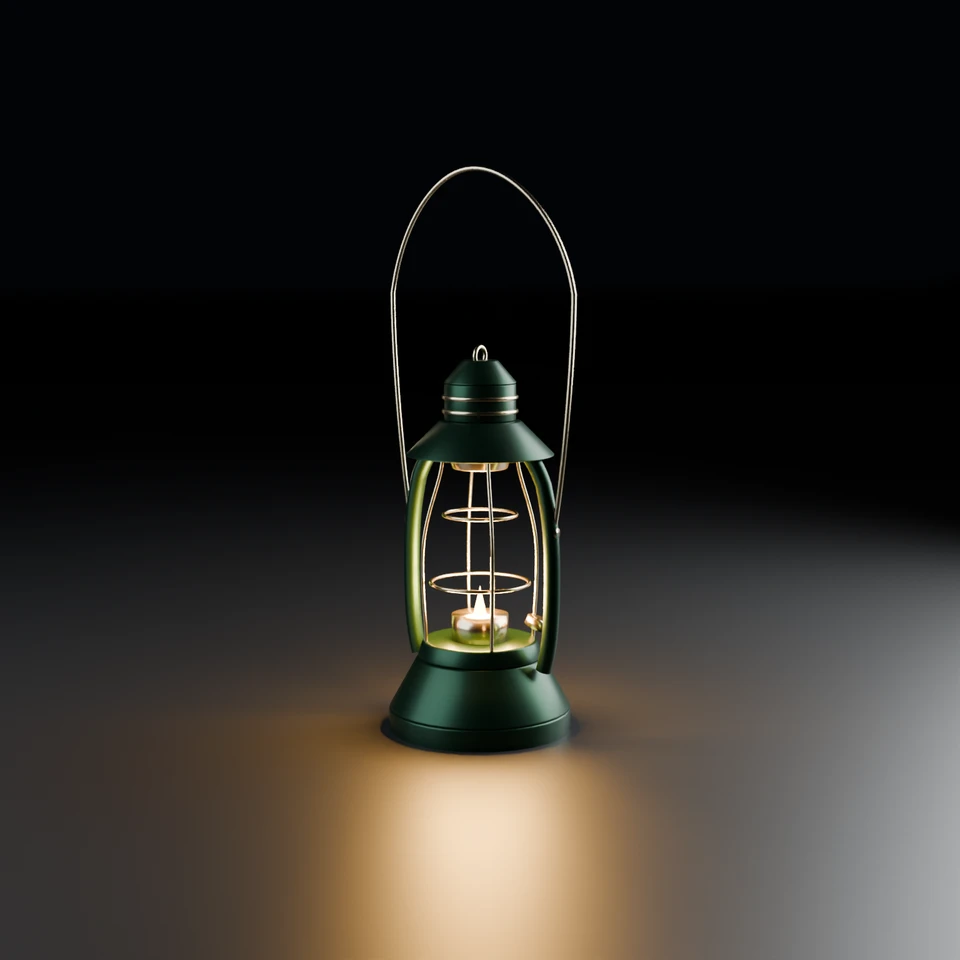
camera + framing set up by the AI contestant
3D Viewport — camp-lantern User Persp
LOADING 3D VIEW
$0.74Cost
282sDuration
33Tool calls
34Turns
Blender 5.1.0MCP 1.22026-07-15
Tokens: 726720/22145Vision: ✓Votes W-L-T: 22-3-1reasoning: effort mediumNO DONE
B-BENCH — TRANSCRIPT Google / Gemini 3.5 Flash / thinking:medium · r1 · 2026-07-15
RUN LOG — camp-lantern · Google / Gemini 3.5 Flash / thinking:medium · r1 · ok
SYSTEM PROMPTthe control — every model on this task got these instructions
PROMPTblender-bench v7HARNESSraw-v2
SHOW FULL PROMPT · 2016 chars
You are participating in Blender-Bench, a public benchmark where AI models complete the same Blender task.

Your result will be compared head-to-head with another model. Anyone on the internet can vote, based only on the published visual outputs they can inspect: the interactive 3D scene and rendered presentation.

Complete the request as well as you can. The benchmark does not prescribe a workflow or visual style; use whichever Blender techniques you consider appropriate. Make the important requirements evident in the published result, save a complete scene, and present the work clearly in every requested output.

The final published capture is rendered by the benchmark from your saved scene using Cycles at 1536 x 1536, 64 samples, denoising enabled, and GPU acceleration when available with a CPU fallback. The saved scene is also exported to GLB with geometry, materials, the contestant camera, and supported lights for interactive inspection. Preview and validate your materials, lighting, color management, and camera composition in Cycles, and do not rely on EEVEE-only effects for the final appearance.

## Harness Instructions

You are operating Blender through the provided tools. The scene starts empty. Build what the user's prompt asks for in the current scene. Work step by step and verify your own work. Before you finish, set up a camera and lighting to frame a single, well-composed presentation image of your result — position and aim the camera, and add or adjust lights so the subject reads clearly. The final benchmark capture overrides the scene render settings and renders in Cycles at 1536x1536, 64 samples, with denoising and GPU acceleration (CPU fallback). Preview and validate materials, lighting, color management, and composition in Cycles; do not rely on EEVEE-only effects. The saved scene is also exported to GLB with geometry, materials, your camera, and supported lights for interactive inspection. When you are finished, reply with the single word DONE and no tool calls.
--TASK camp-lantern: ## Task
Complete the following Blender task:
<task>
A classic camping lantern as a single hero prop: a metal frame with a carry handle, a
glass enclosure around a warm glowing core, standing on simple ground.
The floor is a recognizable lantern that glows. The ceiling is what the light does:
warm light passing through the glass, a soft pool of illumination on the ground,
believable metal and g…
43:58>>get_scene_info({"user_prompt":"Get initial scene info"})
43:58<<{
"name": "Scene",
"object_count": 0,
"objects": [],
"materials_count": 2
}
44:04>>get_sketchfab_status({"user_prompt":"Check if Sketchfab is active"})
44:04<<Sketchfab integration is currently disabled. To enable it:
1. In the 3D Viewport, find the BlenderMCP panel in the sidebar (press N if hidden)
2. Check the 'Use assets from Sketchfab' checkbox
3. Enter your Sketchfab API Key
4. Restart the connection to Claude
44:07>>get_polyhaven_status({"user_prompt":"Check Polyhaven status"})
44:07<<PolyHaven integration is currently disabled. To enable it:
1. In the 3D Viewport, find the BlenderMCP panel in the sidebar (press N if hidden)
2. Check the 'Use assets from Poly Haven' checkbox
3. Restart the connection to Claude
44:35>>execute_blender_code({"code":"import bpy\nimport math\n\ndef set_transmission(principled_node, value):\n if 'Transmission Weight' in principled_node.inputs:\n principled_node.inputs['Transmission Weight'].default_value = value\n elif 'Transmission' in principled_node.inputs:\n principled_node.inputs['Transmission'].default_value = value\n\ndef get_or_create_material(name, shader_type):\n mat = b…)
44:35<<Error executing code: Communication error with Blender: Code execution error: Error: Node type ShaderNodeTextureCoordinate undefined
44:42>>execute_blender_code({"user_prompt":"Robustly create standard materials with clean names","code":"# Let's fix the shader node types. In modern Blender, they require capitalized strings or specific type names.\n# Let's inspect the names list or write a simplified node network that doesn't fail.\n# Usually node types are 'ShaderNodeTexCoord', 'ShaderNodeTexNoise', 'ShaderNodeValToRGB', 'ShaderNodeBump'\n\nimport bpy\n\n…)
44:42<<Code executed successfully: Recreated robust basic materials successfully!
44:50>>execute_blender_code({"code":"import bpy\nimport bmesh\nimport math\n\ndef add_smooth_cylinder(name, radius, depth, vertices=32, location=(0,0,0), material=None, bevel_width=0.0):\n bpy.ops.mesh.primitive_cylinder_add(\n vertices=vertices, \n radius=radius, \n depth=depth, \n location=location,\n end_fill_type='NGON'\n )\n obj = bpy.context.active_object\n obj.name = name…)
44:50<<Code executed successfully: Base test model created: Test_Base
45:00>>execute_blender_code({"code":"import bpy\nimport math\n\n# Clean up test object\ntest_obj = bpy.data.objects.get(\"Test_Base\")\nif test_obj:\n bpy.data.objects.remove(test_obj, do_unlink=True)\n\n# Define materials\nmat_dark = bpy.data.materials.get(\"DarkMetal\")\nmat_brass = bpy.data.materials.get(\"BrassMetal\")\nmat_glass = bpy.data.materials.get(\"Glass\")\nmat_emission = bpy.data.materials.get(\"EmissionCore…)
45:00<<Code executed successfully: Lantern Base parts created!
45:06>>execute_blender_code({"code":"import bpy\nimport math\n\n# Materials\nmat_dark = bpy.data.materials.get(\"DarkMetal\")\nmat_brass = bpy.data.materials.get(\"BrassMetal\")\nmat_glass = bpy.data.materials.get(\"Glass\")\nmat_emission = bpy.data.materials.get(\"EmissionCore\")\n\n# Let's locate the heights so far\n# rim_h = 0.02\n# tank_h = 0.045\n# collar_h = 0.015\n# Total base height = 0.08m\nbase_height = 0.02 + 0.04…)
45:06<<Code executed successfully: Burner, Flame Core, and Light source created!
45:15>>execute_blender_code({"code":"import bpy\nimport math\n\n# Materials\nmat_glass = bpy.data.materials.get(\"Glass\")\n\n# ----------------- 3. GLASS GLOBE -----------------\n# Let's model a beautiful classic tapered/hourglass lantern globe.\n# Range in Z: from Z = base_height (0.08m) up to Z = base_height + 0.16m (0.24m)\n# We can form this by starting with a cylinder, then shaping its vertices or applying standard loo…)
45:15<<Error executing code: Communication error with Blender: Code execution error: spin: keyword "dangle" is invalid for this operator
45:23>>execute_blender_code({"code":"import bpy\nimport bmesh\nimport math\n\n# Let's inspect BMesh spin or write a custom math rotation which is completely bulletproof to API version mismatches!\n# Custom vertex rotation is super clean and easy.\nmat_glass = bpy.data.materials.get(\"Glass\")\n\nglass_mesh = bpy.data.meshes.new(name=\"GlassGlobeMesh\")\nglass_obj = bpy.data.objects.new(\"Glass_Globe\", glass_mesh)\nbpy.conte…)
45:23<<Error executing code: Communication error with Blender: Code execution error: Converting py args to operator properties: enum "OBJ" not found in ('OBJECT', 'EDIT', 'SCULPT', 'VERTEX_PAINT', 'WEIGHT_PAINT', 'TEXTURE_PAINT')
45:26>>execute_blender_code({"code":"import bpy\n\n# Fix 'OBJ' to 'OBJECT' in mode_set\nglass_obj = bpy.data.objects.get(\"Glass_Globe\")\nif glass_obj:\n bpy.context.view_layer.objects.active = glass_obj\n bpy.ops.object.mode_set(mode='EDIT')\n bpy.ops.mesh.select_all(action='SELECT')\n bpy.ops.mesh.normals_make_consistent(inside=False)\n bpy.ops.object.mode_set(mode='OBJECT')\n print(\"Normals consistent …)
45:26<<Code executed successfully: Normals consistent and mode returned to OBJECT!
45:34>>execute_blender_code({"code":"import bpy\nimport math\n\n# Materials\nmat_dark = bpy.data.materials.get(\"DarkMetal\")\nmat_brass = bpy.data.materials.get(\"BrassMetal\")\n\n# ----------------- 4. UPPER CAP / CHIMNEY & COVERS -----------------\n# The top part of the lantern spans from Z=0.23 (top of glass) upwards:\n# Z: 0.23 to 0.245: brass collar connecting glass to dark metal cap.\n# Z: 0.245 to 0.265: lower flared…)
45:34<<Code executed successfully: Upper Chimney structures and venting details finished!
45:42>>execute_blender_code({"user_prompt":"Build thick side pillars using Bezier curves with proper thickness and material","code":"import bpy\nimport math\n\n# Materials\nmat_dark = bpy.data.materials.get(\"DarkMetal\")\nmat_brass = bpy.data.materials.get(\"BrassMetal\")\n\n# ----------------- 5. PROTECTIVE METAL CAGES AND TUBES -----------------\n# Authentic vintage lanterns (Dietz style) have:\n# - Two tubular side suppo…)
45:42<<Error executing code: Communication error with Blender: Code execution error: Error: Bézier spline cannot have points added
45:49>>execute_blender_code({"code":"import bpy\nimport math\n\n# Let's fix the Bezier curve creation. In Blender, a 'BEZIER' spline's points are accessed via 'bezier_points', while 'POLY' or 'NURBS' uses 'points'.\n# Let's write a robust poly curve creation, or construct it using bezier_points correctly.\n\nmat_dark = bpy.data.materials.get(\"DarkMetal\")\n\ndef create_side_tubes_fixed():\n for side in [1, -1]:\n …)
45:49<<Code executed successfully: Side support pillars drafted perfectly with bezier_points!
45:59>>execute_blender_code({"code":"import bpy\nimport math\n\n# Materials\nmat_brass = bpy.data.materials.get(\"BrassMetal\")\n\n# ----------------- 6. PROTECTIVE WIRE CAGE Around the Glass -----------------\n# A classic lantern has vertical and horizontal wire rings forming a cage around the glass globe.\n# Let's create:\n# - Two horizontal guard rings (brass wire, radius ~1.5mm) hugging the shape of the hourglass globe.\…)
45:59<<Code executed successfully: Protective brass cage horizontal rings and vertical safety wires completed!
46:07>>execute_blender_code({"code":"import bpy\nimport math\n\n# Materials\nmat_brass = bpy.data.materials.get(\"BrassMetal\")\n\n# ----------------- 7. WIDE CARRYING BAIL / HANDLE -----------------\n# Let's create an iconic curved bucket-style wire handle (hinged on the side support tubes or top eyelet).\n# A classic bail handle arches high above the lantern.\n# It originates from near the side supports (Z=0.18) on either …)
46:07<<Code executed successfully: Iconic carrying wire handle and attachment hinges complete!
46:11>>execute_blender_code({"user_prompt":"Inspect list of all objects in scene so far","code":"import bpy\n\n# Let's inspect all objects in scene to ensure everything is perfectly named and grouped\nfor obj in bpy.data.objects:\n print(\"-\", obj.name, obj.type)\n"})
46:11<<Code executed successfully: - Bail_Handle CURVE
- Burner_Base MESH
- Cage_Ring_Lower MESH
- Cage_Ring_Upper MESH
- Cage_Wire_Vert_1 CURVE
- Cage_Wire_Vert_2 CURVE
- Cage_Wire_Vert_3 CURVE
- Cage_Wire_Vert_4 CURVE
- Chimney_Crown MESH
- Chimney_Holder MESH
- Chimney_Hood MESH
- Chimney_Riser MESH
- Chimney_Vent1 MESH
- Chimney_Vent2 MESH
- Filler_Cap MESH
- Flame_Core MESH
- Flame_PointLight LIGHT
…
46:14>>execute_blender_code({"user_prompt":"Ensure there are no unwanted duplicated objects in the scene","code":"import bpy\n\n# Clean up any duplicated objects if they exist\ndup = bpy.data.objects.get(\"Glass_Globe.001\")\nif dup:\n bpy.data.objects.remove(dup, do_unlink=True)\n print(\"Removed duplicate glass globe\")\n"})
46:14<<Code executed successfully: Removed duplicate glass globe
46:21>>execute_blender_code({"code":"import bpy\n\n# ----------------- 8. GROUND FLOOR & BACKGROUND STAGE -----------------\n# Let's build a beautiful floor and an elegant seamless back wall that acts as a studio cycle.\n# This prevents hard edge lines behind our object and highlights the soft warm falloff of the lantern.\n\n# Let's create a large plane for the floor. Z = 0.00\nbpy.ops.mesh.primitive_plane_add(size=12.0, loc…)
46:21<<Error executing code: Communication error with Blender: Code execution error: bevel: keyword "dist" is invalid for this operator
46:26>>execute_blender_code({"user_prompt":"Model backdrop using modifier-based beveling to ensure robustness","code":"import bpy\nimport bmesh\n\n# Let's write a robust bevel on the Cyclorama mesh by doing it step-by-step or using Modifier, which is 100% robust.\n# Let's recreate a clean ground plane, extrude simply, then apply a standard Bevel modifier to round the back edge.\n\nground = bpy.data.objects.get(\"Ground_Studi…)
46:26<<Code executed successfully: Seamless Cyclorama built with safe modifier-based bevel!
46:31>>execute_blender_code({"user_prompt":"Set up dark world lighting to emphasize the warm lantern flame illumination","code":"import bpy\n\n# Let's configure the background environment lighting.\n# For a product shot against a calm, dark backdrop with soft pools of warm light,\n# we need a very low background environmental light level so the lantern's own glow is the hero.\n\nworld = bpy.context.scene.world\nif not world:…)
46:31<<Code executed successfully: Dark studio world environment set up!
46:37>>execute_blender_code({"code":"import bpy\n\n# ----------------- 9. FILL & KEY LIGHTING (STUDIO) -----------------\n# To complement the beautiful warm glowing core, we should add some cold/neutral subtle studio lights:\n# - A soft cool key light from front-left to highlight the lovely dark forest green metal paint.\n# - A rim light from back-right to illuminate the silhouette of the side tubes, handle, and chimney stru…)
46:37<<Code executed successfully: Light found: Flame_PointLight
Light found: Light
Studio professional key and rim lighting rigs configured!
46:39>>execute_blender_code({"code":"import bpy\n\n# Let's clean up any default lights that might have been present in the scene\ndefault_light = bpy.data.objects.get(\"Light\")\nif default_light:\n bpy.data.objects.remove(default_light, do_unlink=True)\n print(\"Removed default light\")\n","user_prompt":"Clean up default initial light to prevent overexposure"})
46:40<<Code executed successfully:
46:47>>execute_blender_code({"user_prompt":"Configure high-end camera with 85mm portrait zoom, tracking and Depth Of Field (DOF) target","code":"import bpy\nimport math\n\n# ----------------- 10. CONTRAST CAMERA SETUP -----------------\n# We want an elegant product shot framing the classic lantern center as a hero prop.\n# Let's place the camera at an angle that shows off both the front details (oil cap, glass, flame, protec…)
46:47<<Code executed successfully: Hero camera built and configured!
46:51>>get_viewport_screenshot({"max_size":1000,"user_prompt":"Inspect initial camera setup and model visual quality"})
46:52<<
46:52imgimage delivered — get_viewport_screenshot
46:59ai>0
46:59>>execute_blender_code({"user_prompt":"Align viewport to the camera view for next screenshot inspection","code":"import bpy\n\n# Set all 3D viewports to camera view\nfor area in bpy.context.screen.areas:\n if area.type == 'VIEW_3D':\n for space in area.spaces:\n if space.type == 'VIEW_3D':\n space.region_3d.view_perspective = 'CAMERA'\nprint(\"Aligned all viewport spaces to active cam…)
46:59<<Code executed successfully: Aligned all viewport spaces to active camera!
47:04>>get_viewport_screenshot({"max_size":1000,"user_prompt":"Inspect camera composition framing"})
47:06<<
47:06imgimage delivered — get_viewport_screenshot
47:14ai>0
47:14>>execute_blender_code({"code":"import bpy\n\n# The camera is extremely close and only framing the base/bottom middle of the lantern!\n# Let's pull the camera back, increase camera height, or lower the lens value/adjust the focus distance so the entire lantern, \n# including the handle arching over the top, is perfectly positioned in the portrait frame.\n# Currently, the height of the lantern goes up to Z = 0.50.\n# Let…)
47:14<<Code executed successfully: Camera composition refined for perfect product-to-hero prop framing!
47:18>>get_viewport_screenshot({"user_prompt":"Verify updated camera composition","max_size":1000})
47:20<<
47:20imgimage delivered — get_viewport_screenshot
47:26ai> eyeint
47:26>>execute_blender_code({"user_prompt":"Scale up studio backdrop to cover entire camera FOV","code":"import bpy\n\n# Oh! Magnificent framing! The lantern is perfectly centered.\n# However, the Cyclorama (Ground_Studio) corner curve is slightly visible on the left side of the frame.\n# We want the background to be completely seamless and cover the entire screen behind the model.\n# Let's scale up Ground_Studio or rotate i…)
47:26<<Code executed successfully: Scaled Ground Studio Cyclorama up to 500% to ensure absolute backdrop coverage!
47:31>>get_viewport_screenshot({"max_size":1000,"user_prompt":"Check backdrop coverage"})
47:32<<
47:32imgimage delivered — get_viewport_screenshot
47:42ai>_
47:42>>execute_blender_code({"code":"import bpy\nimport math\n\n# Let's rotate Ground_Studio so its back wall faces the camera directly!\n# Camera is looking from X=0.75, Y=-1.15. That is in the front-right quadrant.\n# This means we should rotate the ground plane to block the background correctly.\n# The angle of the camera vector is atan2(1.15, -0.75) roughly.\n# Rotating the backdrop around its center (Z axis) by -40 degr…)
47:42<<Code executed successfully: Rotated and shifted Ground Studio!
47:49>>get_viewport_screenshot({"max_size":1000,"user_prompt":"Re-check backdrop alignment after rotation"})
47:50<<
47:50imgimage delivered — get_viewport_screenshot
47:59ai>/The rotation was in the wrong direction, opening the gap wider. Let's rotate in the opposite direction (e.g. +35 degrees or around +50 degrees) to close the gap completely!
# Let's adjust rotation_euler to 45 degrees.
ground_obj = bpy.data.objects.get("Ground_Studio")
if ground_obj:
ground_obj.rotation_euler = (0, 0, math.radians(45))
ground_obj.location = (0.0, 0.0, -0.0001)
print("…
47:59--status: ok
>
LOADING COMPLETE TRANSCRIPT…